
Cortex: What If Your LLM Was a Wiki Compiler?
The Karpathy Line
Andrej Karpathy once described how he maintains a personal wiki — feeding articles, papers, and notes into a growing knowledge base where entries cross-reference each other and compound over time. The wiki isn't a tool you use once. It's an artifact that gets smarter the more you feed it.
That idea stuck with me. Not the wiki itself — the compounding. Every new source doesn't just add one article. It updates five existing ones, creates two new cross-links, and surfaces a pattern you hadn't noticed.
The problem: maintaining that by hand is brutal. You read an article, you summarize it, you manually find the three wiki pages it relates to, you add cross-references, you update your index. It takes longer than reading the original article.
So I built Cortex.
The Core Idea
Cortex is a personal knowledge compiler. The mental model:
- Obsidian is the IDE — where you browse and read
- The LLM is the programmer — it reads sources and writes wiki articles
- The wiki is the codebase — it grows, gets refactored, and compounds
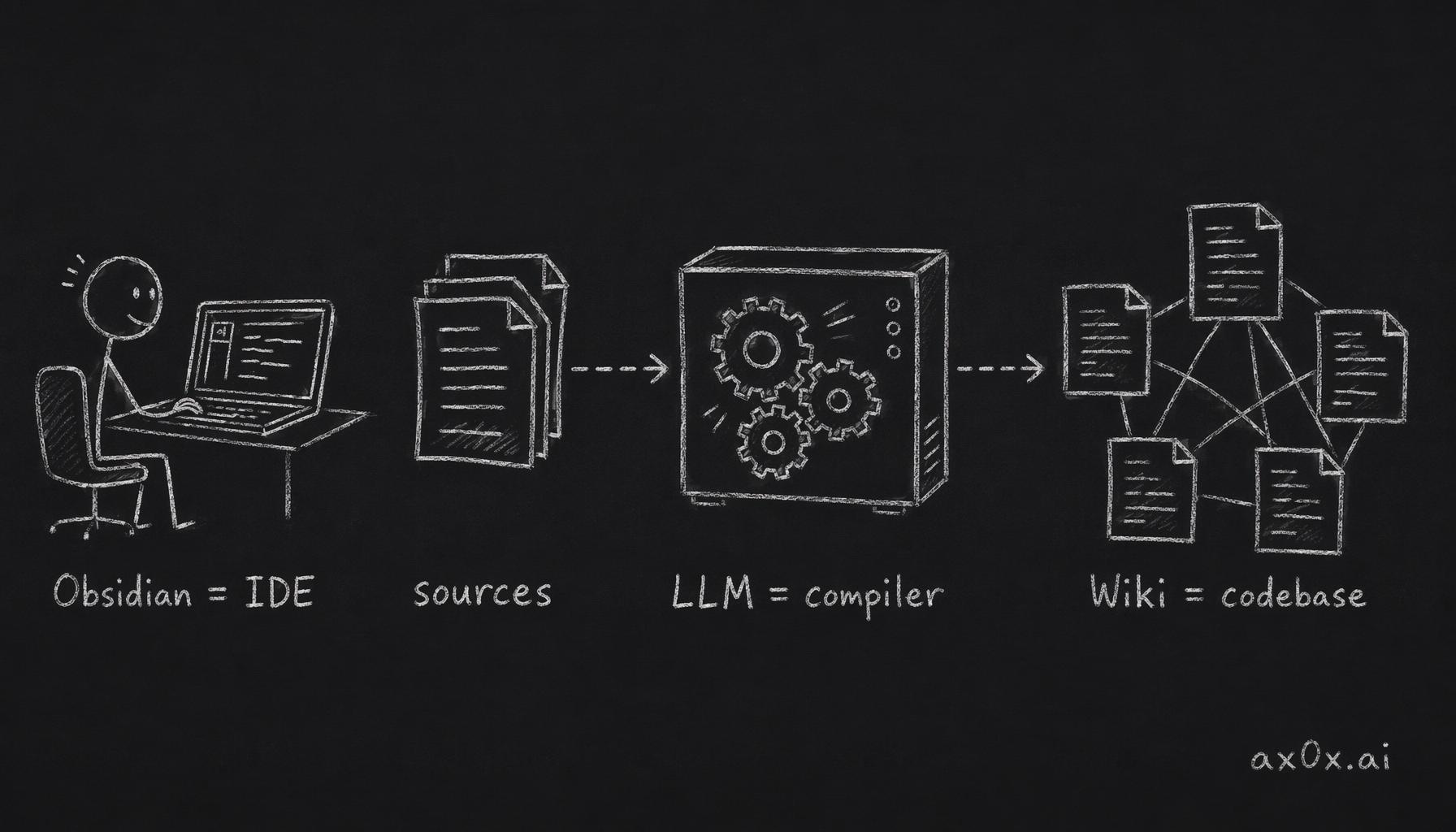 Knowledge work mapped onto compilation: Obsidian as the IDE, the LLM as the compiler, the wiki as the codebase
The key insight: Cortex itself contains zero LLM client code. No API keys, no prompt chains, no embedding pipelines. It's a thin infrastructure layer — an MCP server with 5 tools — that gives Claude Code (or any MCP-compatible agent) just enough file I/O to read your sources and write your wiki.
The actual "compilation logic" lives in a markdown file called the schema. It's a set of instructions that teaches the agent how to think about knowledge organization: when to create a new article vs. update an existing one, how to cite sources, when a concept deserves its own page, how to maintain the index.
You're not programming with the LLM. You're programming the LLM. The schema is the compiler specification. The wiki is the build output.
How It Works
Drop a URL or file into your vault's inbox/ folder. A shell hook notices it on your next prompt and nudges Claude Code:
"[Cortex] 3 files in inbox/ waiting to be processed."
Claude Code then runs the workflow:
- Ingest — reads the source (URLs go through Jina Reader for markdown extraction), generates frontmatter, saves to
sources/ - Compile — reads the source, decides which wiki articles to create or update, writes them with
[[wikilinks]]and source citations - Index — updates the master index, logs the operation
Your wiki in Obsidian updates in real-time. Open it, and you see new articles, updated cross-references, a growing knowledge graph.
Radical Minimalism
The project has 15 source files. 5 runtime dependencies. Zero databases.
I made these choices deliberately:
No database. The manifest is a flat JSON file. The index is a markdown file. The log is an append-only markdown file. When your entire state is human-readable files in a git repo, you get version control, backup, and portability for free.
No search engine. Search is explicitly out of scope — I pair Cortex with qmd (by Tobi Lutke), a separate MCP server that provides hybrid BM25 + vector search over markdown files. Cortex handles writes; qmd handles reads. Two MCP servers, each doing one thing well.
No LLM client. This is the most counterintuitive choice. A "knowledge compiler" with no AI code? Yes — because the compilation logic belongs in the schema, not in the tool. The schema is a markdown document that Claude Code reads as project instructions. When I want to change how articles are compiled, I edit a markdown file. No code changes, no redeployment, no prompt engineering framework.
No compilation pipeline. There's no DAG, no task queue, no build system. The LLM follows the schema and uses the 5 MCP tools. The "pipeline" is the agent's reasoning. This means the compilation quality scales with the model's capability — upgrade the model, get better articles, with zero code changes.
The Five Tools
The entire MCP surface area:
| Tool | What it does |
|---|---|
cortex_ingest | Read a URL or file, extract content, save as source |
cortex_write | Create or update a wiki article, auto-update the index |
cortex_diff | Show what's in the inbox and what hasn't been compiled yet |
cortex_log | Append a timestamped entry to the operation log |
cortex_status | Return vault stats (source count, article count, last activity) |
That's it. Five tools, all doing file I/O. The intelligence is in the schema, not the server.
Immutable Sources, Mutable Wiki
One architectural decision I'm particularly happy with: sources are immutable, wiki articles are mutable.
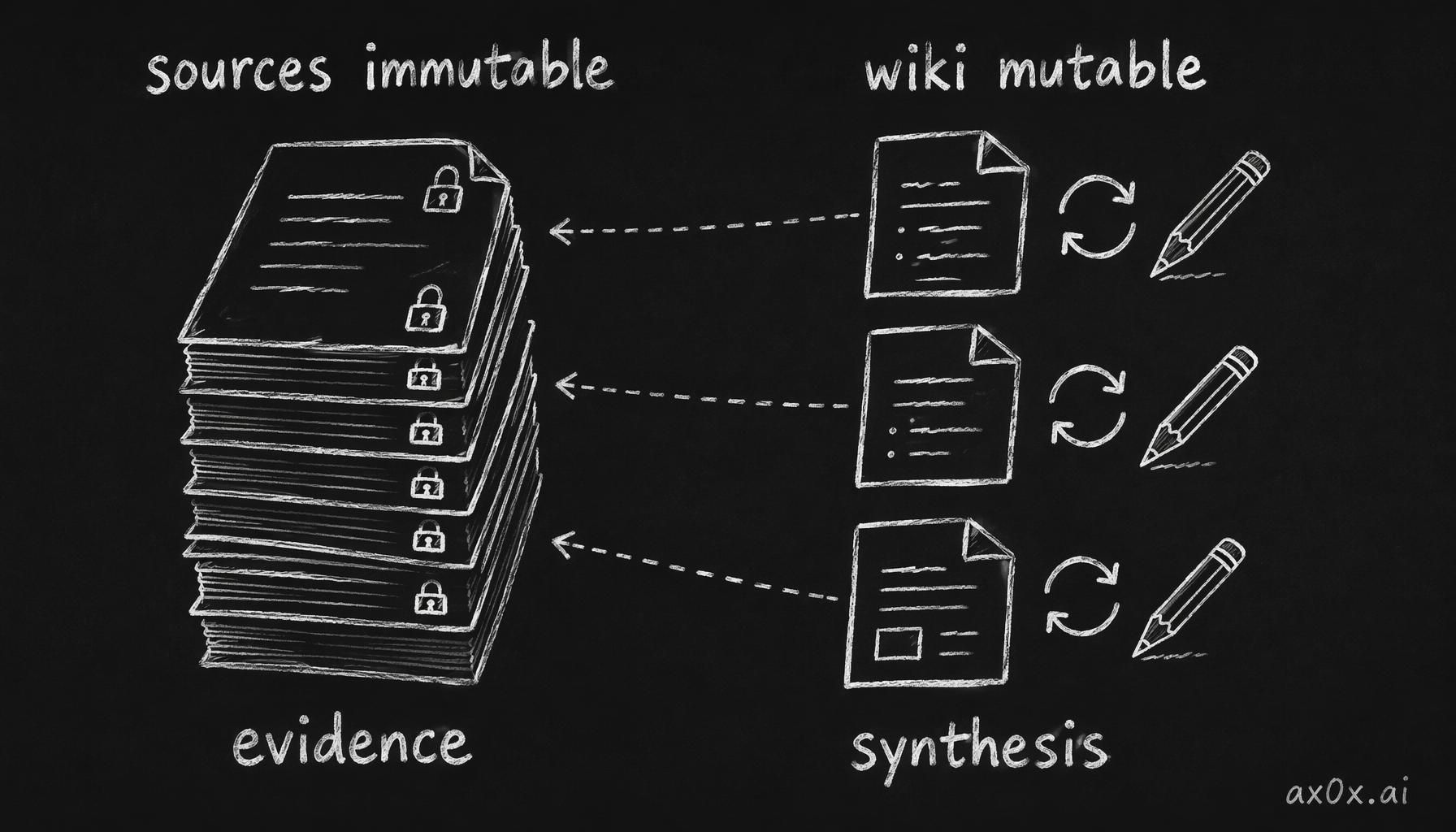 Sources stay read-only as evidence, the wiki keeps updating as synthesis, and every wiki claim traces back to a source
Once a source is ingested, it never changes. It's a permanent record of what you read. Wiki articles, on the other hand, get continuously updated — new cross-references added, summaries refined as related sources arrive, outdated claims corrected.
This creates a clean separation between evidence and synthesis. You can always trace a wiki claim back to its source. And when a source is wrong or outdated, you update the wiki articles that cite it, not the source itself.
What I Actually Use It For
I read a lot. Research papers, blog posts, documentation, competitor analyses. Before Cortex, all of that reading evaporated — I'd remember the vibe of an article but not the specifics, and I'd never connect insights across different sources.
Now my workflow is:
- Find something interesting → drop the URL in
inbox/ - Next time I open Claude Code, the hook fires
- Claude Code ingests the source and updates my wiki
- When I'm researching a topic, I browse my wiki in Obsidian — every article is interlinked, every claim cites its source
The wiki compounds. After 50 sources, articles I didn't explicitly ask for start appearing — synthesis articles that connect themes across multiple sources. The more I feed it, the more valuable every new source becomes, because it has more existing knowledge to connect with.
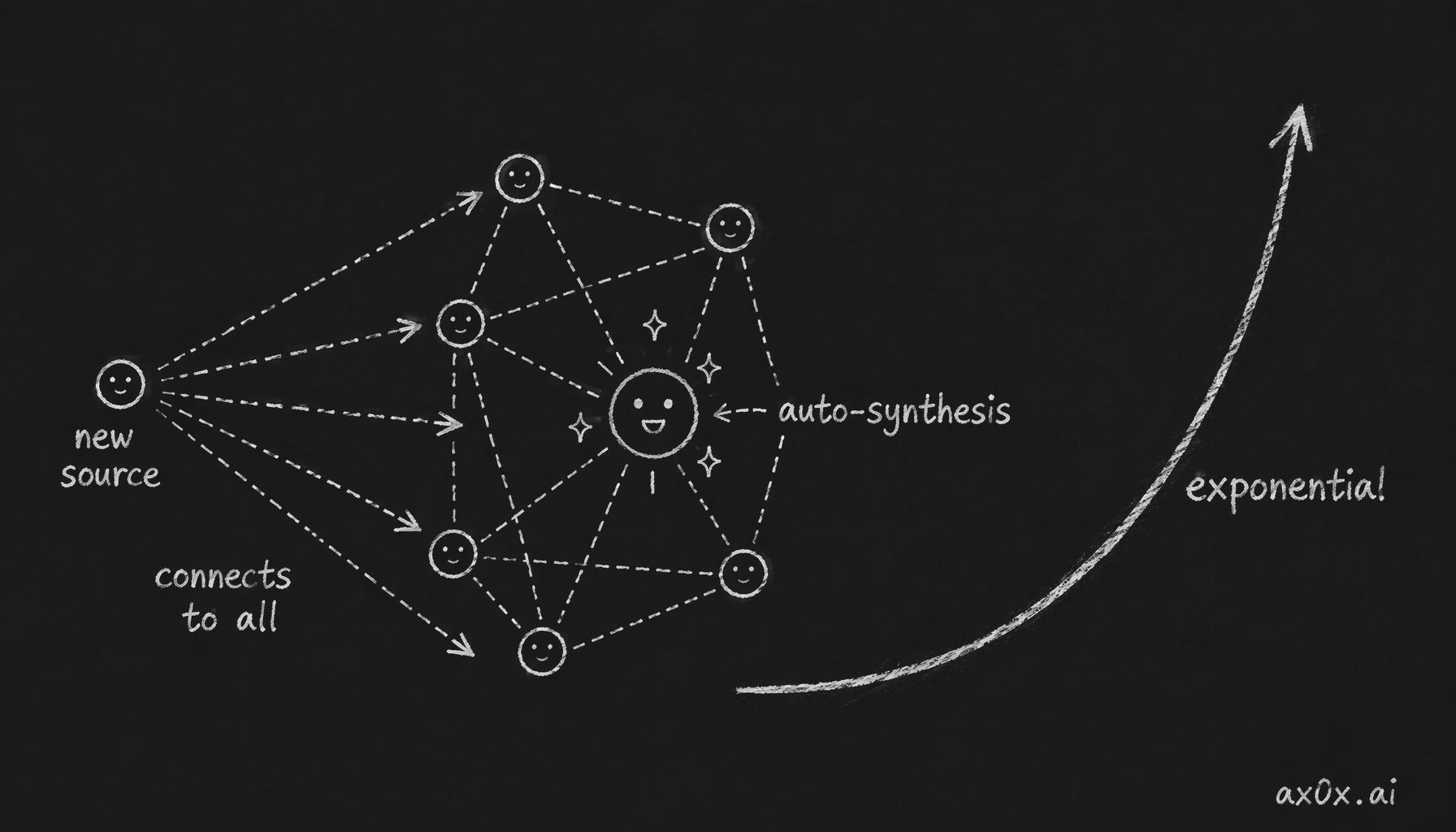 Each new source connects to all existing knowledge and spawns synthesis articles on its own, so value grows exponentially
Try It
npx cortex-kb init ~/my-wiki
Then register the MCP server with Claude Code and start dropping URLs into your inbox.
The repo is at github.com/xingfanxia/cortex. It's early — Phase 1 just shipped — but the core loop works and I'm using it daily.
The best tool is the one that disappears. Cortex has no UI, no dashboard, no settings page. It's 5 MCP tools and a markdown file that teaches your AI how to think about knowledge. Everything else is Obsidian.