
Full WeChat Automation on macOS: A Field Guide
I wanted programmatic access to WeChat. Not the web version (deprecated). Not the Windows hooks (wrong OS). Native macOS, full read and write — pull chat history from the database, send messages through the UI. No WeChat Business API, no sandbox, no restrictions.
Turns out this is possible. It's also a minefield.
This post documents exactly what I set up, what tools I used, and the six pitfalls that cost me the most time. I also open-sourced the glue layer: wechat-mac-reader.
Why Bother
WeChat is the primary communication channel for most of my China-side relationships — investors, partners, friends, family. But it's a walled garden with zero API access for regular accounts. No webhooks, no REST API, no export.
I wanted three things:
- Search and summarize group chat history (some groups generate hundreds of messages a day)
- Pipe messages into my AI workflow — let Claude read and respond to WeChat context
- Send messages programmatically — not just read, but write
The result is a hybrid system: database-level access for reads, Accessibility API for writes.
The Architecture
Two independent paths, one integration layer.
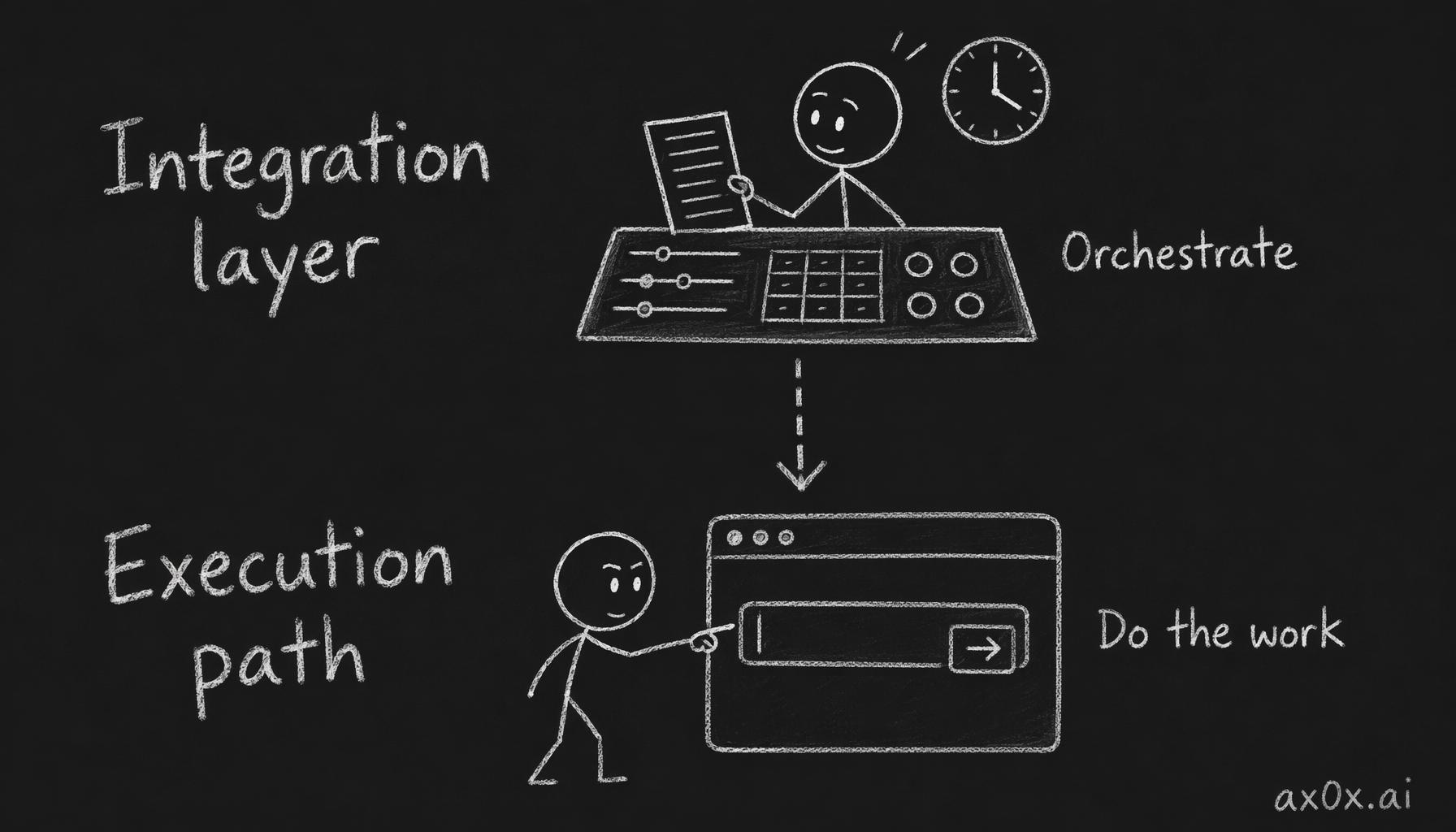 Split the automation into layers: an integration layer up top that orchestrates, and execution paths below that actually do the reads and writes
Read Path: Database Decryption
WeChat on macOS stores messages in SQLCipher-encrypted SQLite databases. The encryption keys live in the WeChat process's memory. So the read pipeline is:
Step 1: Extract keys — wechat-db-decrypt-macos attaches lldb to the running WeChat process, scans memory for SQLCipher encryption keys, and dumps them to a keys.json. On WeChat 4.1.x, this produces 24 separate per-database keys.
Step 2: Decrypt and serve — chatlog-bot (a fork of sjzar/chatlog) takes those keys, decrypts the databases on-the-fly using fsnotify file watching, and serves an HTTP API on port 5030. Endpoints include /session, /chatlog, /contact, /chatroom. It also supports webhooks for real-time push on new messages.
The result: a local REST API that gives you full access to your WeChat message history. curl localhost:5030/chatlog?wxid=...&limit=50 and you get structured JSON back.
Write Path: Accessibility API
WeChat-MCP uses macOS Accessibility API (AXUIElement) to navigate WeChat's UI tree — find the right conversation, type a message into the input field, press Enter. It registers as a Claude Code MCP server, so Claude can send WeChat messages as a tool call.
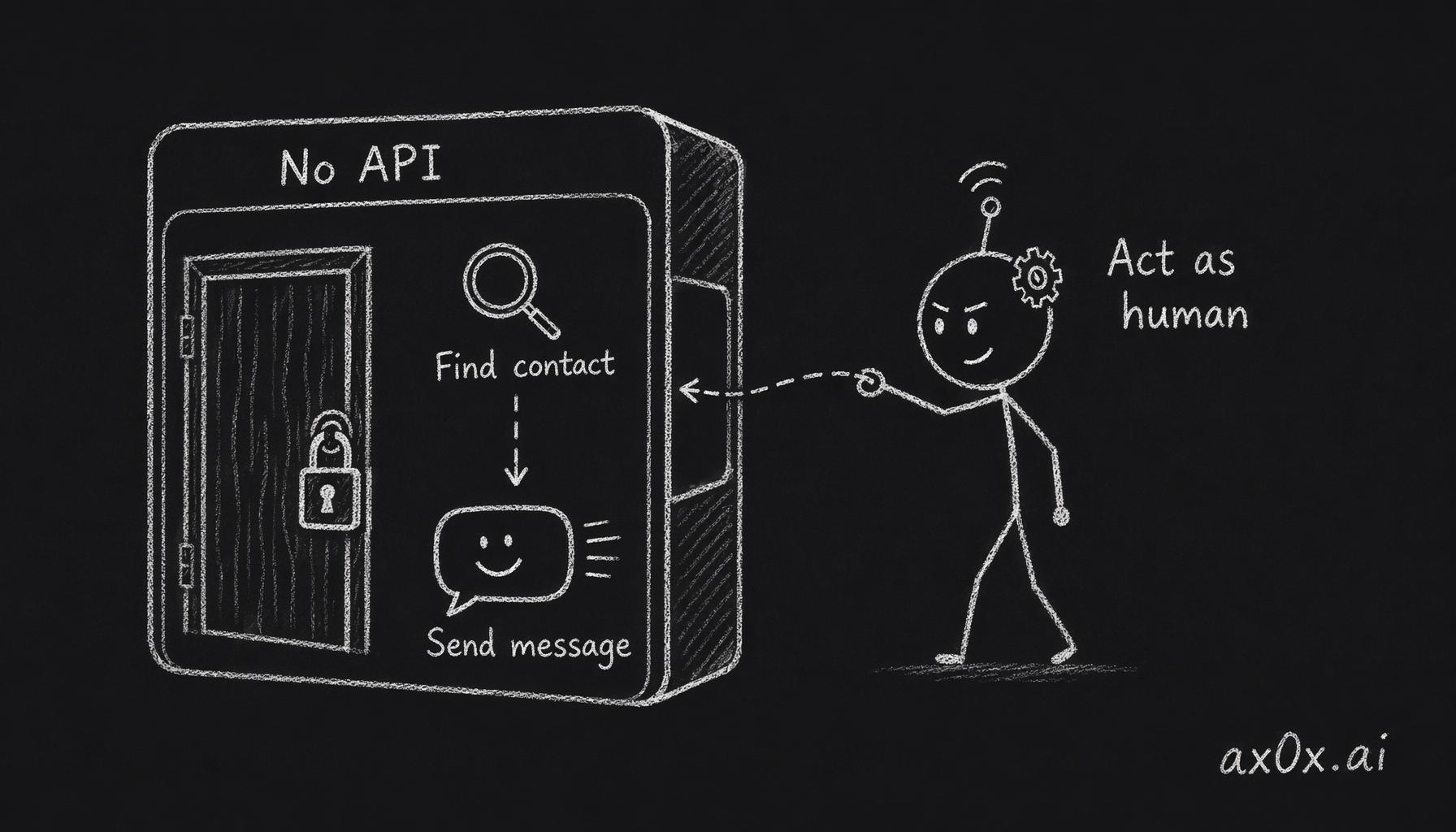 WeChat exposes no API, so the script has to act like a human on the UI — find the contact, type, hit enter — to send a message
It's slower than the read path (it's literally automating the GUI), but it works reliably. You do need to grant Accessibility permissions to your terminal.
Integration Layer
The glue that ties it together:
- A launchd service that keeps chatlog-bot running as a daemon (auto-start on login, auto-restart on crash)
- A Claude Code skill (
wechat-reader) that wraps the REST API — ask Claude to "check my WeChat messages from group X" and it curls the local endpoint - The WeChat-MCP server registered in Claude Code for outbound messages
The full setup is in wechat-mac-reader.
The 6 Pitfalls
These are the things that cost me the most debugging time. If you're setting this up yourself, read these before you start.
1. WeChat 4.1.x Uses Per-Database Keys
Older versions of WeChat used a single master encryption key for all databases. WeChat 4.1.x changed this — each .db file now has its own key. Tools that expect a single --data-key flag (like chatlog-bot's CLI) won't work. You need to generate a derived_key_map in chatlog-bot's config.yaml, mapping each database path to its individual key.
2. The Built-In Key Extraction Doesn't Work on 4.1.x
chatlog-bot has its own key extraction that uses the Mach VM API (vmmap) to find encryption keys in memory. On WeChat 4.1.x, this returns "no memory regions found." The lldb memory-scanning approach from wechat-db-decrypt-macos is the one that works. Don't waste time debugging the built-in extraction — skip straight to the lldb tool.
3. Key Paths Need the db_storage/ Prefix
chatlog-bot expects database paths in the derived_key_map to include the db_storage/ prefix — for example, db_storage/message/message_0.db, not message/message_0.db. The keys.json output from the extraction tool doesn't include this prefix. If the paths don't match, you get silent decryption failures — no error, just empty results.
4. Filter Out __salts__ From keys.json
The wechat-db-decrypt-macos tool outputs a keys.json where most entries are string: string mappings (database path to hex key). But there's one special entry: __salts__, which is a list, not a string. chatlog-bot's derived_key_map expects map[string]string. If you naively dump the entire keys.json into your config, it'll choke on the type mismatch. Filter __salts__ out.
5. Keys Expire on WeChat Restart
The encryption keys are extracted from the running WeChat process's memory. New process = new memory layout = new keys. Every time WeChat restarts — whether you quit it, it crashes, or macOS updates it — you need to re-run the lldb extraction and update your config. There's no permanent key. Plan for this in your automation.
6. sudo Is Required for Memory Scanning
lldb needs task_for_pid to attach to the WeChat process, which requires root privileges. This means Docker is out — you need direct access to the host machine's WeChat process. The extraction step must run with sudo. Not a dealbreaker, but it rules out certain deployment models.
What It Looks Like in Practice
Once everything is wired up, the workflow feels natural:
- I ask Claude to summarize what happened in a WeChat group while I was asleep. It hits the local API, pulls the last 200 messages, and gives me a structured summary.
- I tell Claude to reply to someone in WeChat with a specific message. It calls the MCP tool, which navigates the WeChat UI and sends it.
- New messages in monitored groups trigger webhooks that feed into my notification pipeline.
The read path is fast — it's hitting a local SQLite database. The write path has a couple seconds of latency because it's automating the GUI, but for my use cases that's fine.
Feasibility Context
Before building this, I did a feasibility survey covering the landscape of WeChat automation approaches on different platforms. The macOS approach turned out to be the most viable for my setup — it avoids the fragility of protocol-level hooks and the limitations of the web API.
Should You Do This?
If you're on macOS, use WeChat as a primary communication channel, and want to integrate it with your AI workflow — yes. The setup takes about an hour once you know the pitfalls. The wechat-mac-reader repo has the config templates and launchd plist to get you started.
If you're on Windows or Linux, the read-path tools are different (and arguably more mature on Windows). The write path via Accessibility API is macOS-specific.
The bigger takeaway: desktop apps that don't offer APIs aren't actually locked down. The data is on your machine. The UI is accessible through OS-level accessibility frameworks. With the right tools, you can build a full automation layer on top of apps that were never designed for it.
Update — 2026-04-26: WeChat 4.1.9, WeFlow, and What I Got Wrong About Keys
A month after publishing, three things changed the picture above.
Pitfall #5 was overstated
I claimed keys expire on WeChat restart and you need to re-extract every time. Today I ran lldb memory scans across a 4.1.9 → 4.1.8.100 → 4.1.9 cycle and diffed the outputs. The 24 per-DB enc_key values are byte-for-byte identical across the swap. Same wxid → same keys, regardless of WeChat version or process lifetime.
What I was actually observing back then: WCDB lazy-opens databases. After a fresh WeChat launch, only the DBs you've touched have their keys cached in memory — a scan returns fewer entries and looks like the keys rotated. They didn't. The missing ones just weren't loaded yet.
Corrected rule: keys persist across WeChat lifetime. Re-scan after restart to catch lazy-loaded keys, not because the old ones expired.
WeFlow and chatlog are two different extraction philosophies
I added WeFlow this month for annual-report-style analytics on top of the chat data. Found out the hard way they aren't interchangeable:
| Tool | Extraction | Survives WeChat upgrades |
|---|---|---|
| chatlog-bot (lldb memory scan) | Regex x'<64hex><32hex>' over process memory | Yes — pattern-agnostic |
| WeFlow (binary hook) | Patches a breakpoint into the KDF function entry | No — every WeChat release shifts the binary signature |
When WeChat auto-updated to 4.1.9 last week, WeFlow died with Sink pattern not found while chatlog-bot kept humming along.
Downgrade-then-upgrade is the canonical recovery
WeFlow's FAQ prescribes the dance: downgrade to 4.1.7.57 or 4.1.8.100, cold-restart Mac, run WeFlow's auto-extract once, log in, upgrade back. I ran it end-to-end. The key WeFlow captured under 4.1.8.100 stayed valid after re-upgrading to 4.1.9 — same reason as above, keys are sticky.
If you rely on hook-based tools, the standard move is to disable WeChat auto-update:
defaults write com.tencent.xinWeChat AutoUpdateEnabled -bool false
Otherwise every Tencent release is a potential downgrade detour.
The general principle
Memory-scan tools break slowly and recover slowly — they're pattern-independent, so they don't need updates when the target binary changes. Binary-hook tools see deeper into the program but require the maintainer to ship a patch every time the binary shifts. Pick based on whether you'd rather trust pattern stability or maintainer cadence.
My stack is now tiered: chatlog-bot is the always-on layer (must be stable); WeFlow is the opt-in analytics layer (worth the maintenance cost). Two layers, two trust levels.