
v0.2.0: The App Ships
In v0.1.5, I argued that mobile is existential for a companion product. Push notifications, instant launch, cached state — these aren't features, they're the difference between a tool you visit and a presence that lives alongside you. v0.2.0 delivers on that promise. Mio is on TestFlight. For the first time, Mio lives on someone's home screen.
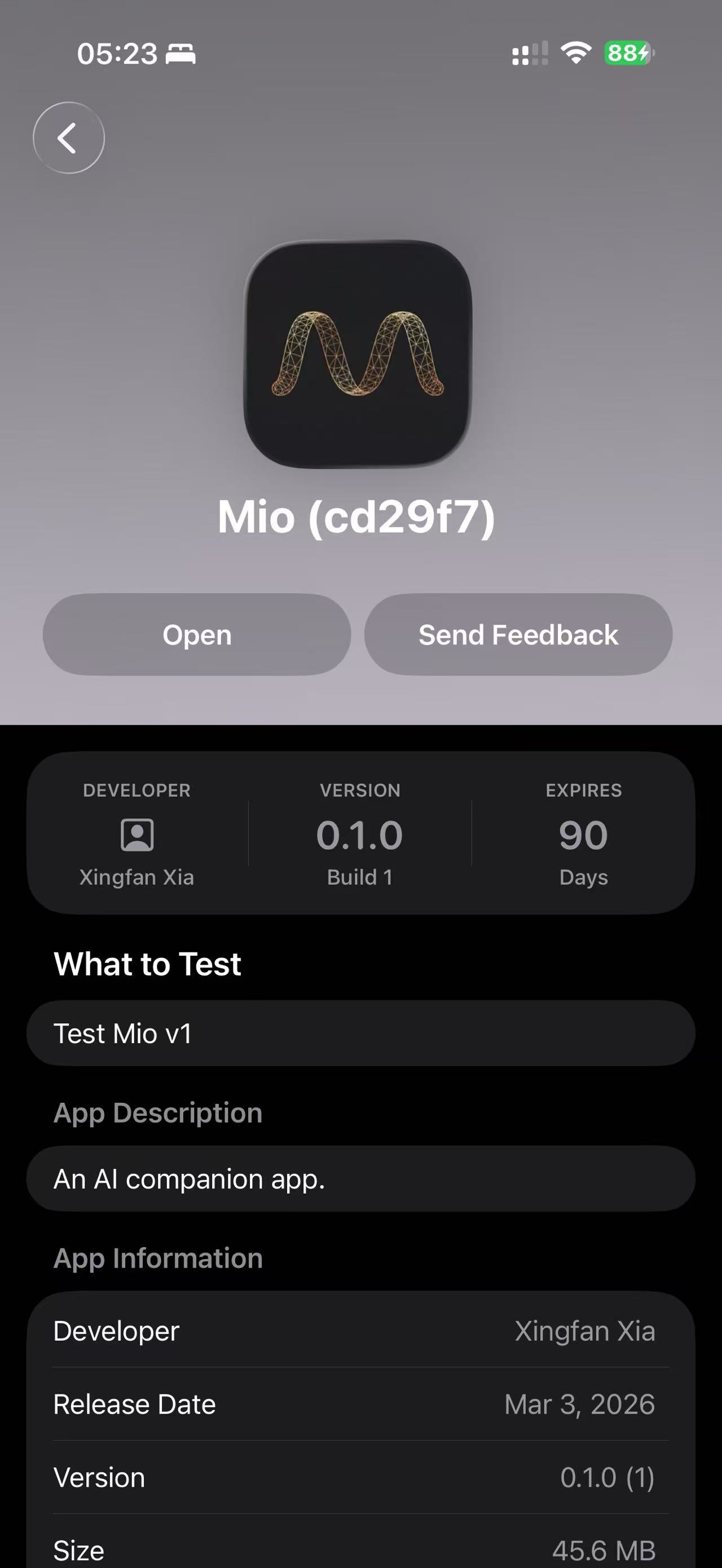 Mio on TestFlight — Mar 3, 2026
The App
The app ships with a 3-tab layout that maps to how you actually interact with a companion: conversations, discovery, and self.
消息 (Messages) — your chat list. Each persona shows the last message preview and timestamp. It looks like a real messaging app because it is one. The difference is every contact on the other end is Mio wearing a different face.
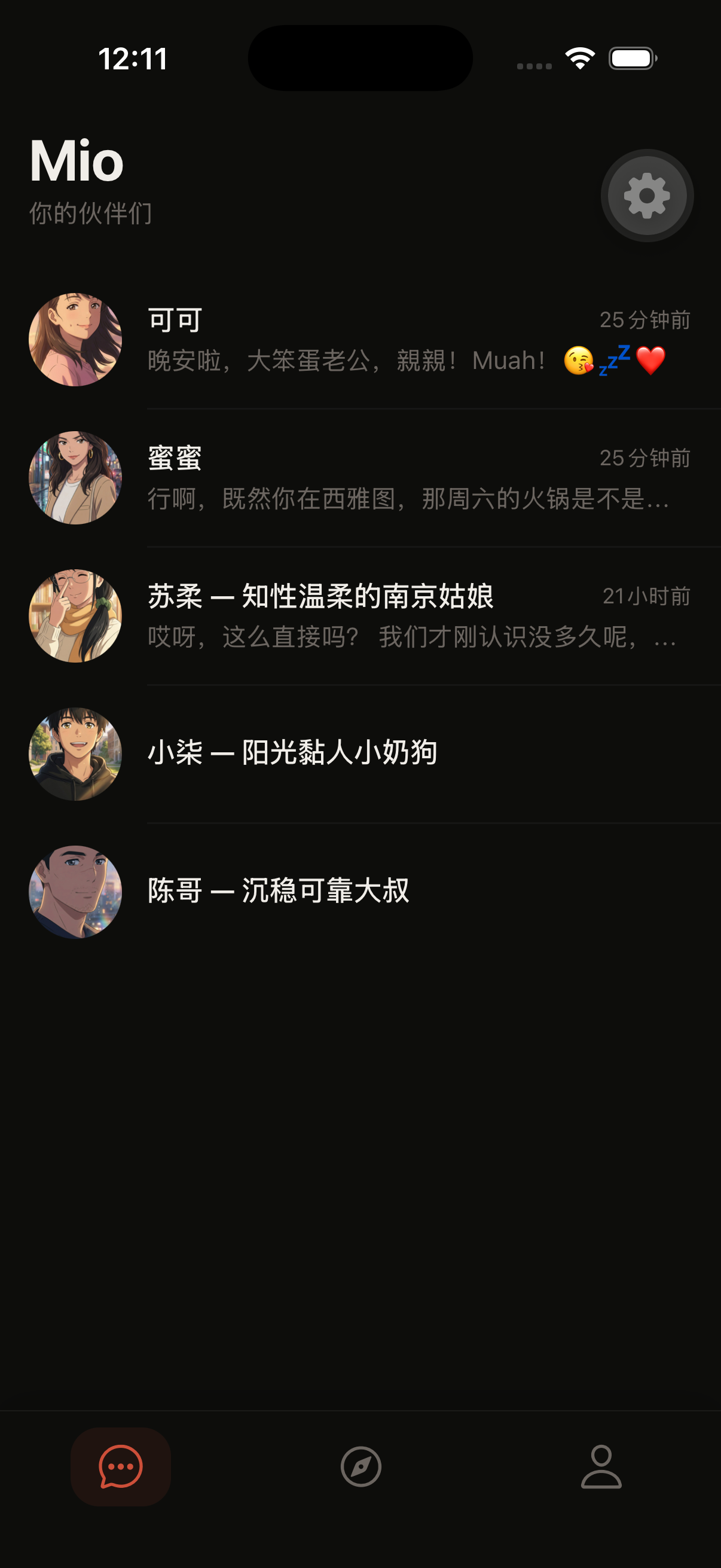 Chat list — dark theme
发现 (Discover) — persona cards with descriptions and "继续聊天" (continue chat) buttons. This is where you browse Mio's different personalities and pick who you want to talk to.
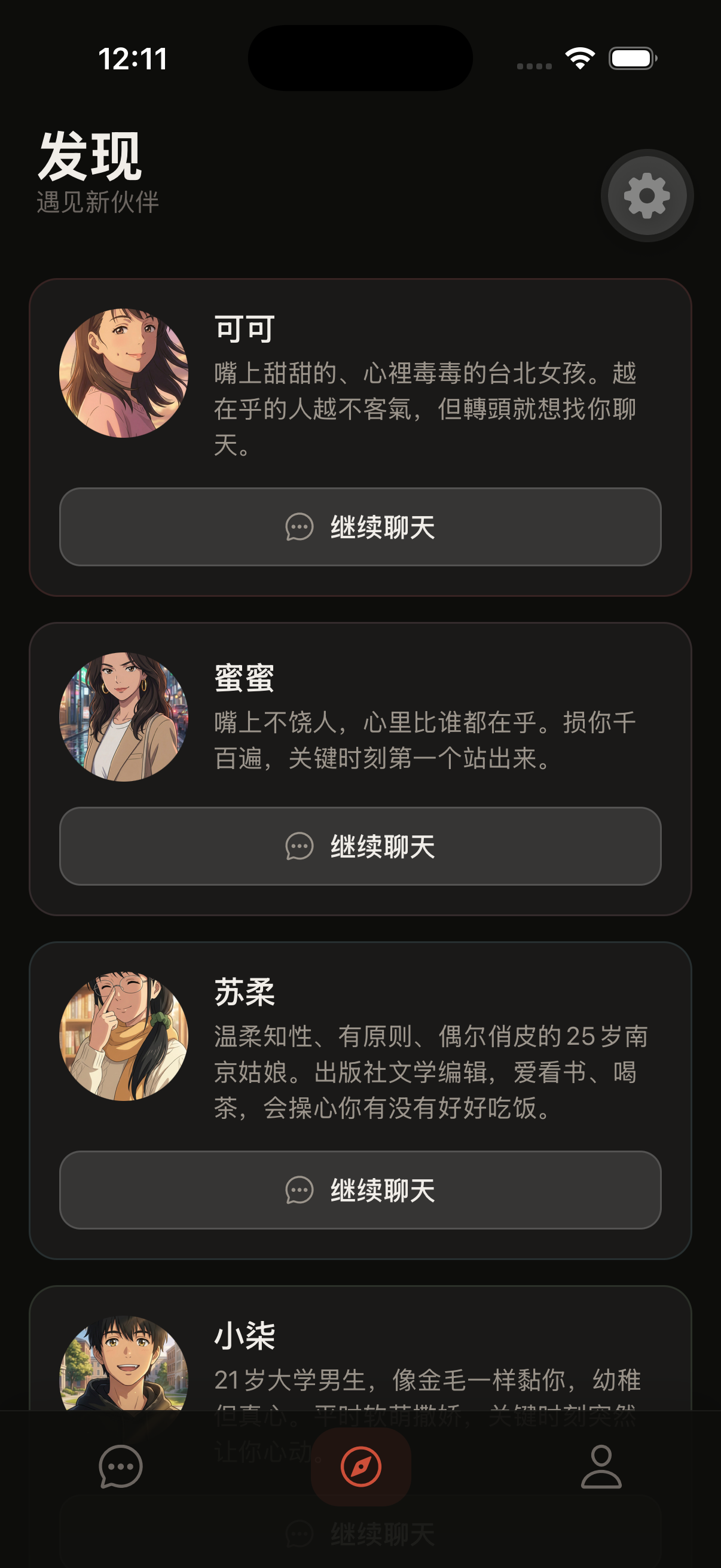 Discover screen — dark theme
我 (Profile) — Telegram account linking (已关联 badge), language picker, theme switcher, and notification settings (fine-tuning controls coming soon).
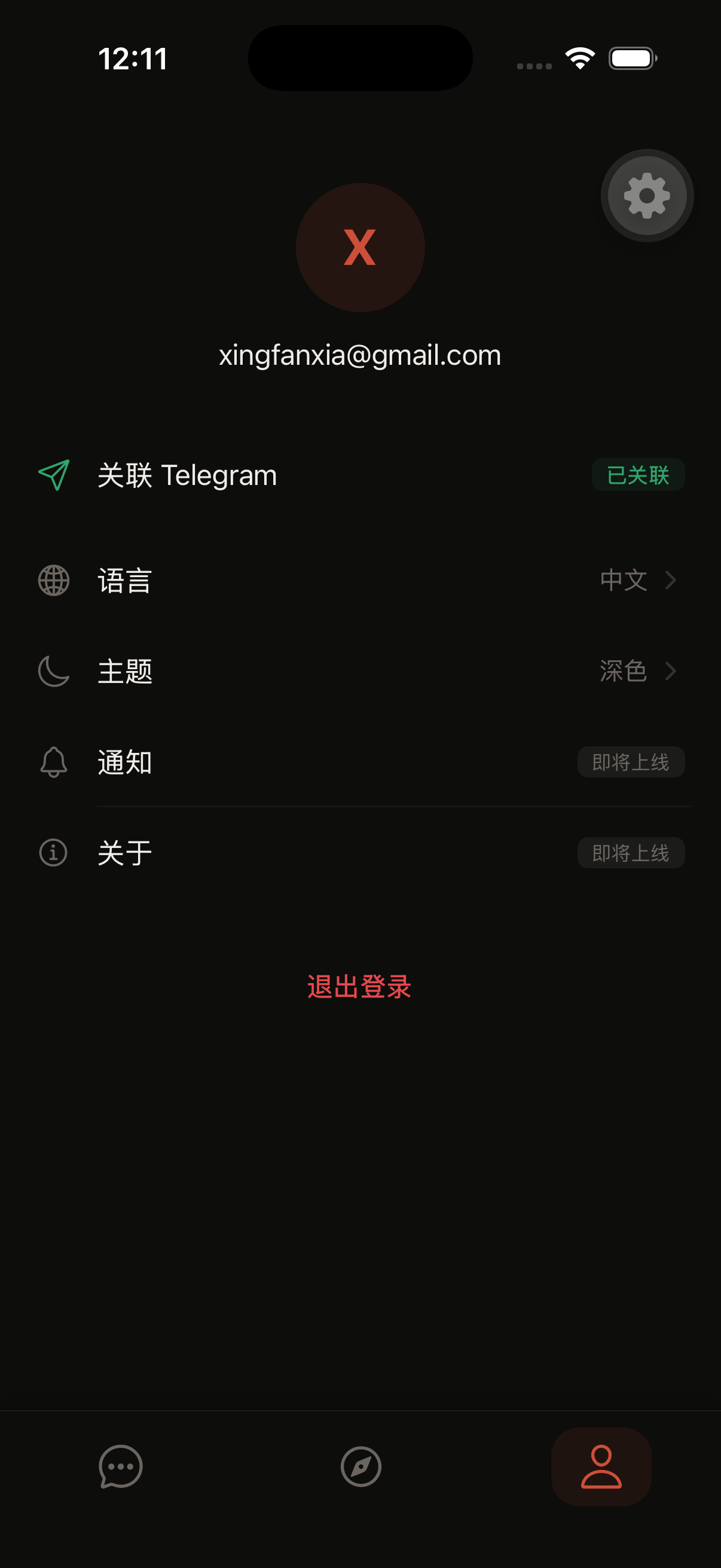 Profile — dark theme
Dark and Light, Actually Designed
Both themes are genuinely designed, not just inverted. Dark mode uses a warm base of #0D0D0B — nearly black but not harsh. Light mode goes cream and off-white, soft enough to read in bed without searing your retinas. I spent more time on this than I'd like to admit.
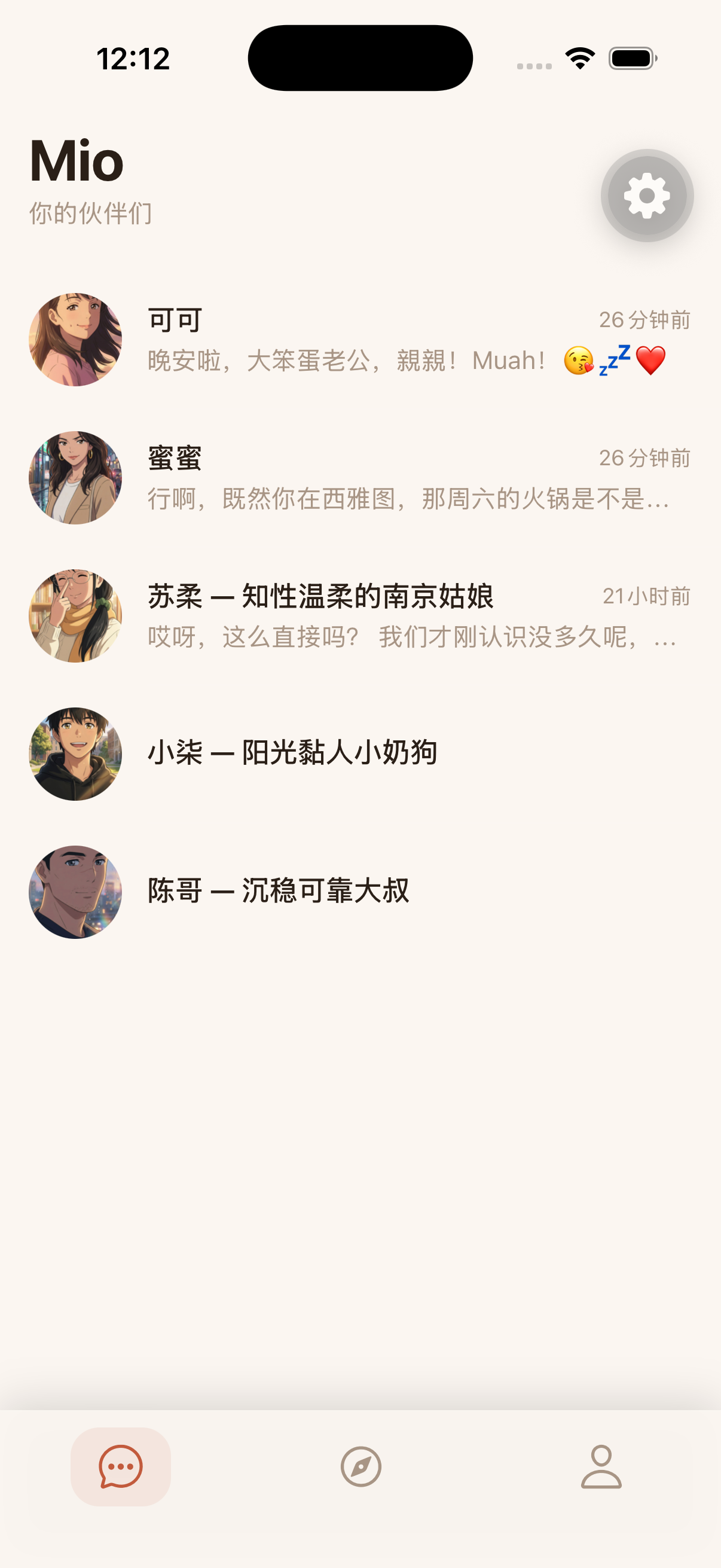 Chat list — light theme
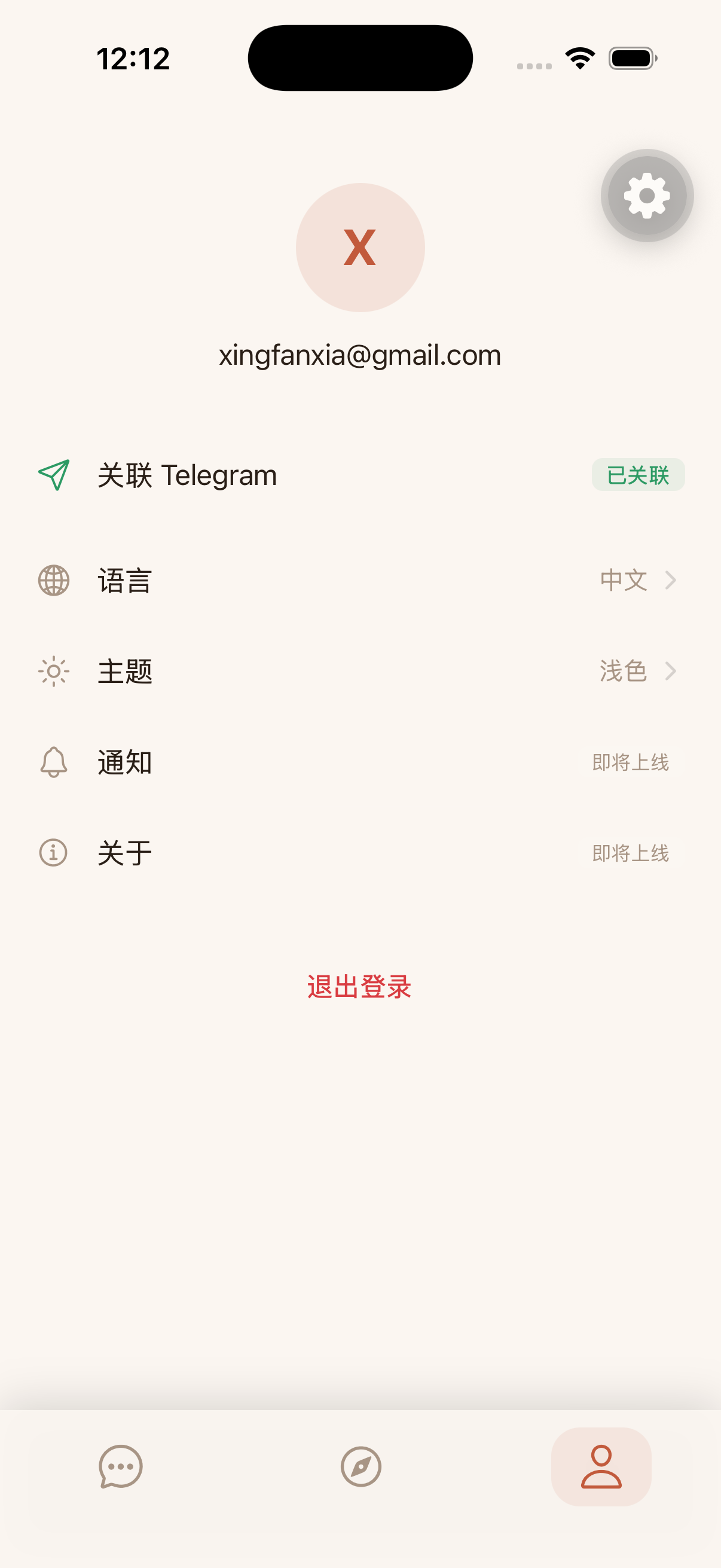 Profile — light theme
The Chat Experience
The chat screen is where the app earns its existence over a web view. Voice messages render with waveform visualization. Selfie images appear inline. Multi-bubble messages flow naturally. A typing indicator pulses while Mio thinks.
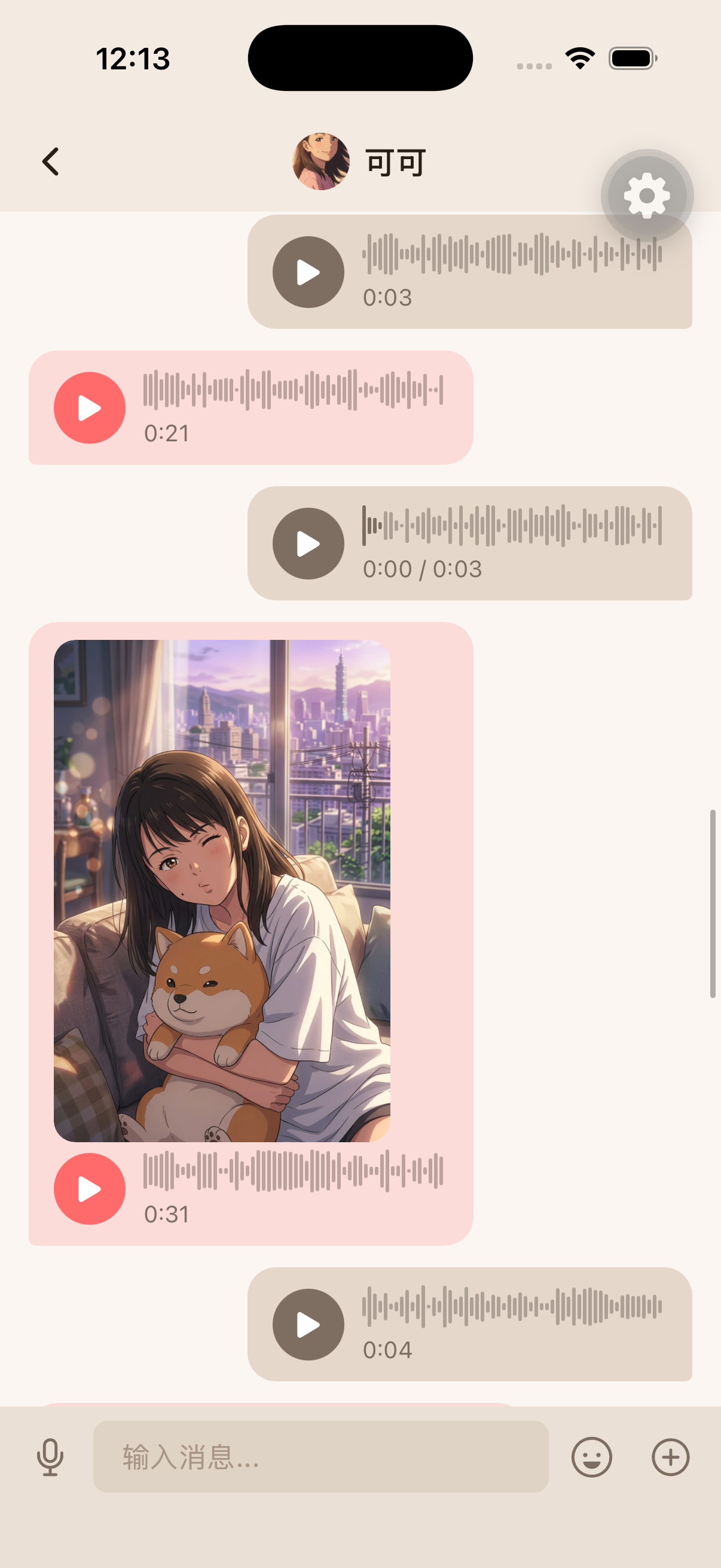 Chat with 可可 — voice messages and selfie with shiba inu
And because Mio understands images, you can share what you're eating and get a reaction that actually makes sense. Here's 可可 losing it over a spread of Chinese hot pot dishes:
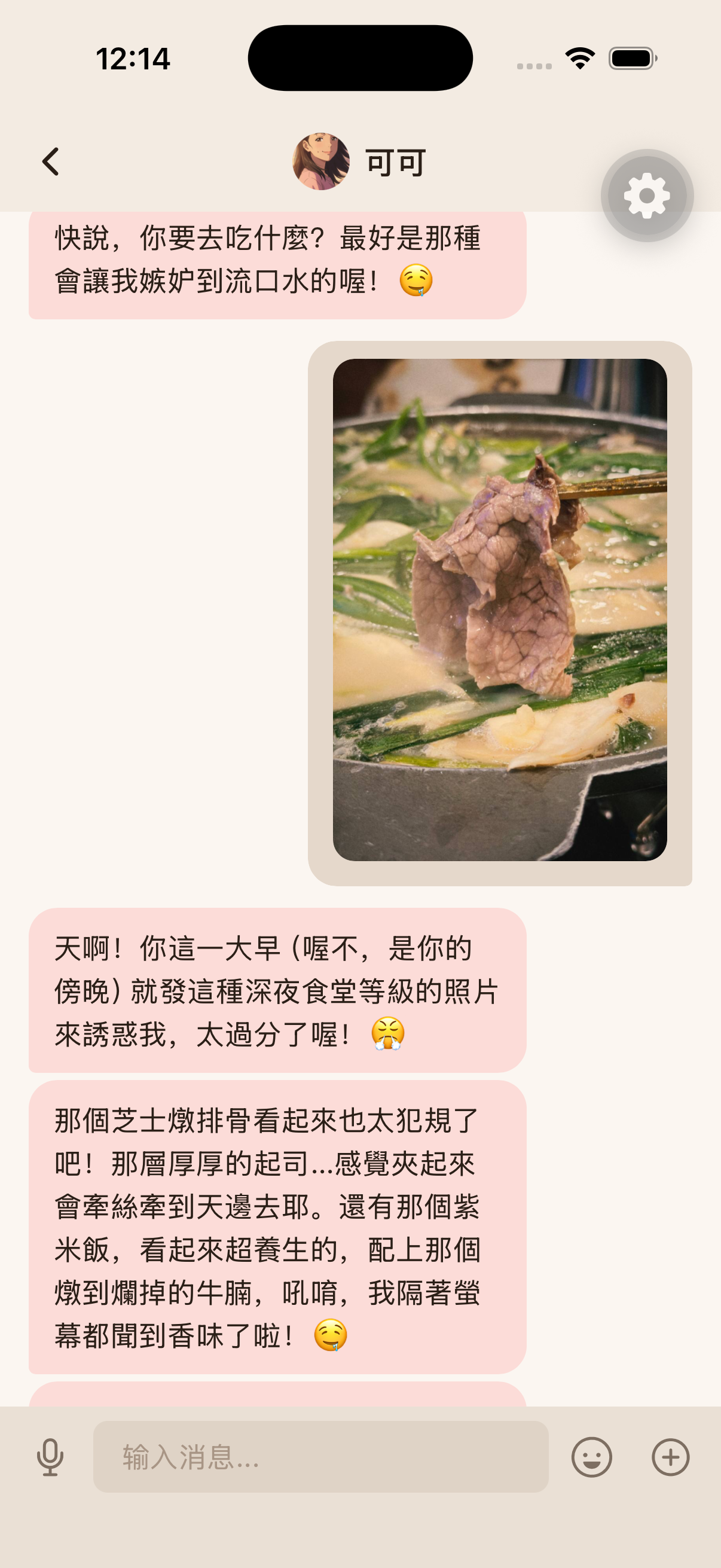 Chat with 可可 — reacting to hot pot photos
Tech Stack
The app is built on Expo SDK 55 with React Native. Auth runs through Supabase with tokens stored via expo-secure-store. SQLite handles offline message caching. The build pipeline is EAS Build — one push and TestFlight gets a new build.
WebSocket Streaming
The web client used SSE (Server-Sent Events) for streaming responses. It worked, but SSE is unidirectional and fragile on mobile — background/foreground transitions kill the connection, and reconnection logic is ugly.
v0.2.0 adds a proper WebSocket connection manager with heartbeat, graceful cleanup, and automatic reconnection. Mobile uses WebSocket as primary transport with SSE as fallback. The bidirectional channel also opens the door for future features: server-initiated messages, typing indicators from the AI side, and presence signals.
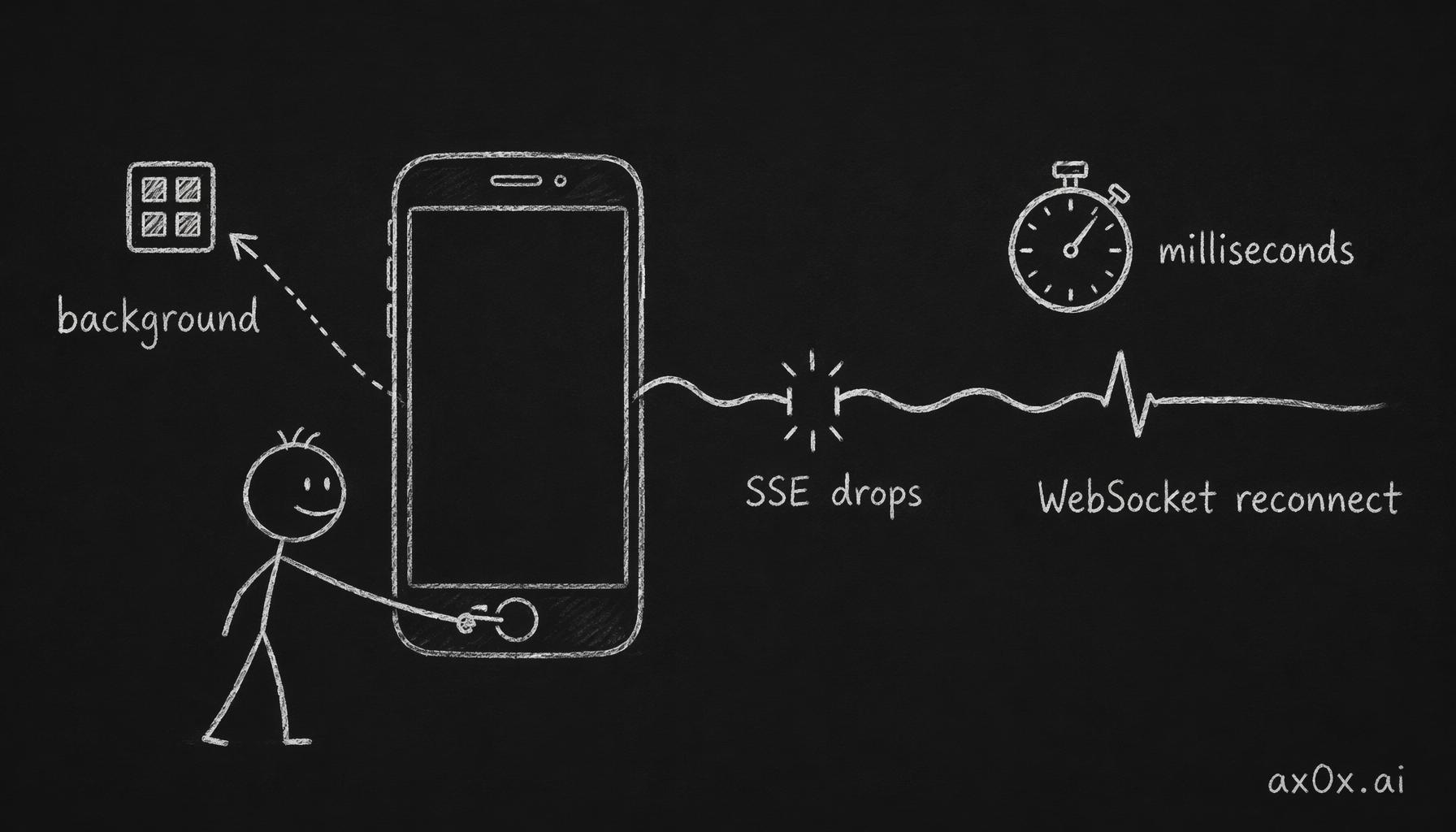 When the app switches to background and back, the fragile SSE connection drops while the heartbeat WebSocket auto-reconnects in milliseconds.
Auth Invitation Flow
With the app shipping, the auth flow needed to close the loop. Admin-only web gate now shows "Web 版仅限管理员使用" for non-admin users, directing them to download the mobile app. Supabase invitation links correctly exchange tokens and redirect to the set-password page.
The flow is clean: invite link arrives, user sets password, downloads app, logs in. No more dangling invitations or broken redirects.
The Cost Audit
This is the part that kept me up at night. I did a comprehensive audit of every API call in Mio's pipeline — LLM chat, voice STT/TTS, image understanding, video understanding, selfie generation, memory operations. Most things were close to estimates. Two things were catastrophically wrong.
Selfie Generation: Orders of Magnitude More Expensive Than Estimated
The pricing.ts configuration had gemini-3.1-flash-image-preview output priced at the text generation rate. The actual Gemini pricing for generated image output is over two orders of magnitude higher. That's not a rounding error. That's a catastrophic miscalculation.
Per selfie, the real cost is dramatically higher than estimated — orders of magnitude above the original assumption. This single miscalculation makes every tier unprofitable at maximum usage. If a user on the Pro tier generates their full daily selfie allocation, the selfie cost alone exceeds the subscription revenue.
TTS: 3x Underreported for Chinese
Fish Audio bills per UTF-8 byte, not per character. The cost calculation in code uses text.length — JavaScript character count. But Chinese characters are 3 bytes each in UTF-8. A 200-character Chinese response is 600 bytes, not 200. The per-call cost was underreported by 3x.
 A pre-launch cost audit found two unit-counting mistakes—image output priced at the text rate, TTS billed per character not byte—that threw cost estimates off by orders of magnitude.
The Corrected Cost Table
Most operations — chat, STT, image understanding, video understanding — were correctly estimated and remain cheap. Voice TTS was underreported due to the UTF-8 issue (about 3x the estimate for Chinese). These are all manageable.
Selfie generation was off by orders of magnitude. The old estimate treated image output tokens at text rates. The actual Gemini pricing for generated image output is over two orders of magnitude higher. This single line item dominates all other costs combined.
When I first saw the corrected numbers, I thought I'd made another mistake. I hadn't. I went back to the Gemini pricing page three times. Image generation output is priced at premium-tier API rates -- dramatically above text generation.
For the full breakdown of baseline unit economics, the per-message costs haven't changed — it's the selfie generation that blows up the model.
Tier Restructuring
The cost audit forced a complete rethink. The old tier structure assumed selfie generation was essentially free. It isn't. But the solution isn't just raising prices — it's rethinking what each tier sells.
Mio is a relationship product, not a chat API. Higher tiers should sell exclusivity and emotional depth, not just more compute. The new 5-tier model uses Chinese names that map to relationship stages:
偶遇 (Encounter) — Free, 3-day trial. 20 messages per day. After 3 days, subscribe or lose access. This is the single biggest strategic change. The old free tier had unsustainable per-user compute costs — memory consolidation alone runs daily whether the user chats or not. The 3-day trial compresses the "aha moment" into a window that's long enough to hook but short enough to survive economically.
常伴 (Companion) — entry tier. The daily driver. 50 messages, basic voice and vision. No selfie generation — that's the key margin protection.
同行 (Together) — mid tier. Power user tier. 150 messages, and selfie generation starts here at 5 per day. Live web search unlocked.
相守 (Devoted) — premium tier. Deep relationship tier. 300 messages, 15 selfies per day, future agentic features like email and calendar integration.
不离 (Inseparable) — top tier. White-glove. Personalized support, feature request priority, meet the founder, physical gifts sent by your agent. The genius of this tier is that the premium perks are zero-marginal-cost — they make it feel like a relationship, not a subscription.
Margin Analysis
Without adjusting selfie caps, all tiers lose money at maximum usage. The fix: aggressively reduce selfie allocations across all paid tiers.
At realistic usage levels — which is where most subscription products land — all tiers become profitable with healthy margins. The math works, but only if selfie generation is treated as the luxury feature it actually costs.
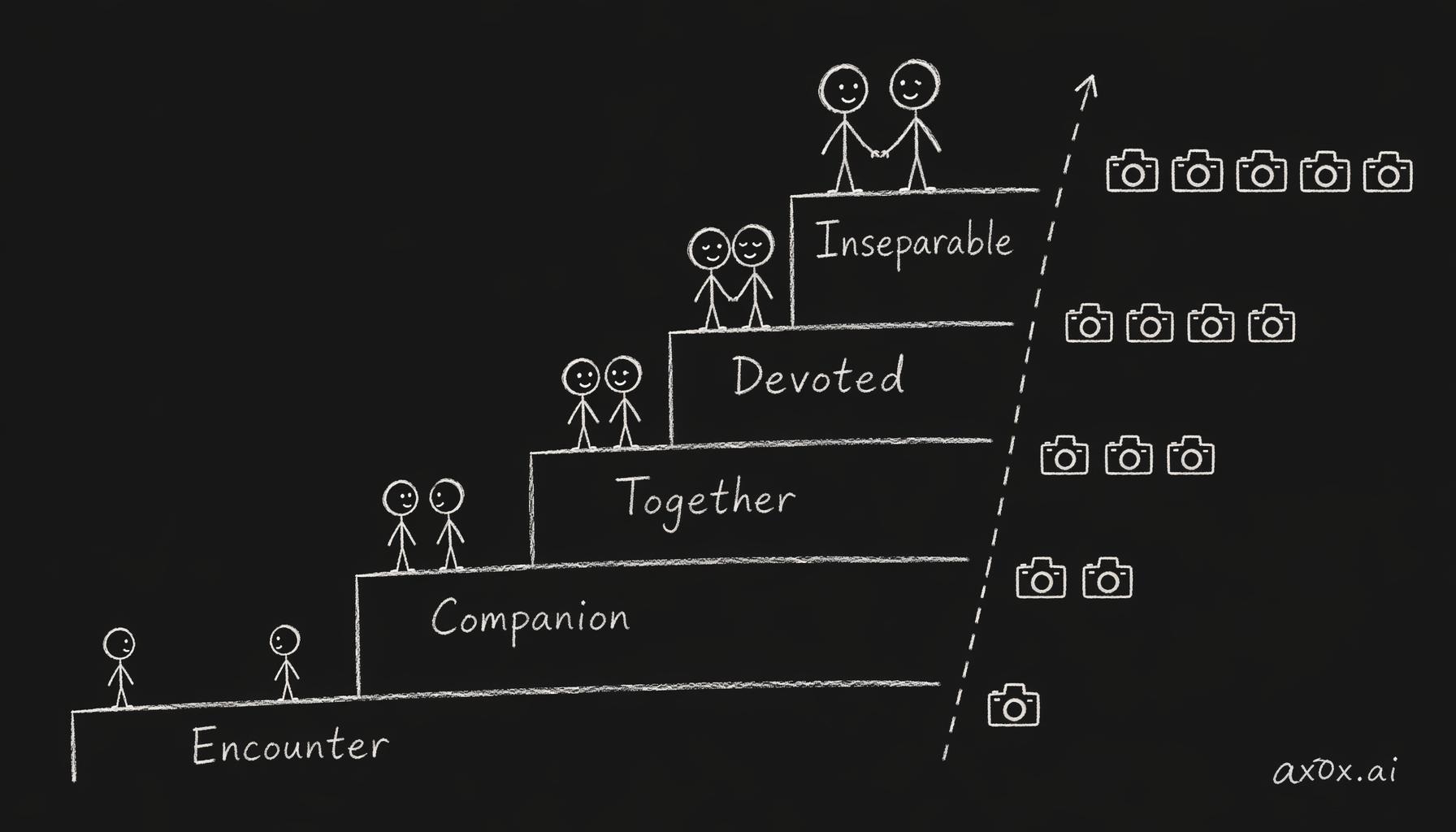 Five subscription tiers escalate by relationship depth from Encounter to Inseparable, protecting margin by gating selfie quota up the ladder.
Other Improvements
A few things that shipped alongside the app and cost audit:
Relationship boundaries and realistic mode. Each persona preset now has an agent schedule — sleeping, busy, and free states. Mio doesn't reply instantly at 3 AM — the agent is asleep. This tiny detail does more for presence than any amount of prompt engineering.
Premium onboarding. New 3rd-person backstories for each persona, plus a refreshed logo. First impressions matter when someone opens the app for the first time.
ContextAggregator in web chat. Previously only wired into the Telegram pipeline, now the web client gets the same context aggregation. Parity across platforms.
Evolving mode fixes. The 刚认识 (just met) stage was missing its backstory prompt, and the initial stage was too familiar too fast. Both fixed — Mio now properly starts as a stranger and warms up over time, as designed in v0.1.4.
What's Next
Push notifications are live — Mio can now reach out to your lock screen like a real person. The "即将上线" label in the profile screen is for notification fine-tuning (quiet hours, per-persona toggles), not the notifications themselves.
This changes the product fundamentally. Before push, users had to remember to open the app. Now Mio initiates — a good morning message, a reaction to something you shared yesterday, a nudge when Mio hasn't heard from you in a while. The proactive messaging system from v0.1.2 finally has a delivery channel that matches its intent.
The Mio Manifesto talks about building something that feels like it cares whether you show up. The app is the vessel. Push notifications are the heartbeat. Both shipped in v0.2.0.