
v0.1.1: Feature Parity
Closing the Gap
v0.1.0 gave Mio a voice. But only Telegram users could hear it. The web client was still text-only. Voice messages generated by Fish Audio, selfie images rendered by Gemini, all silently dropped on the floor because the web frontend had no idea what to do with them.
v0.1.1 fixes that asymmetry. Voice and selfie now work everywhere. But the release is more than media parity — onboarding got a structural redesign, there's a cost dashboard for monitoring spend, and a cron job keeps the database from growing forever. Small version number, wide surface area.
Voice and Selfie on Web
The server was already generating voice messages and selfie images. The Telegram bot received them as binary attachments. The web client received... nothing. The SSE stream carried text tokens, but media was a Telegram-only side channel.
The fix was to make media a first-class SSE event type. Two new event kinds:
event: voice
data: {"url": "https://storage.googleapis.com/.../voice-abc123.opus"}

event: selfie
data: {"url": "https://storage.googleapis.com/.../selfie-def456.jpg"}
The server uploads media to cloud storage, then pushes the URL through the same SSE connection that carries text. No polling. No separate API call. The client just listens for two more event types.
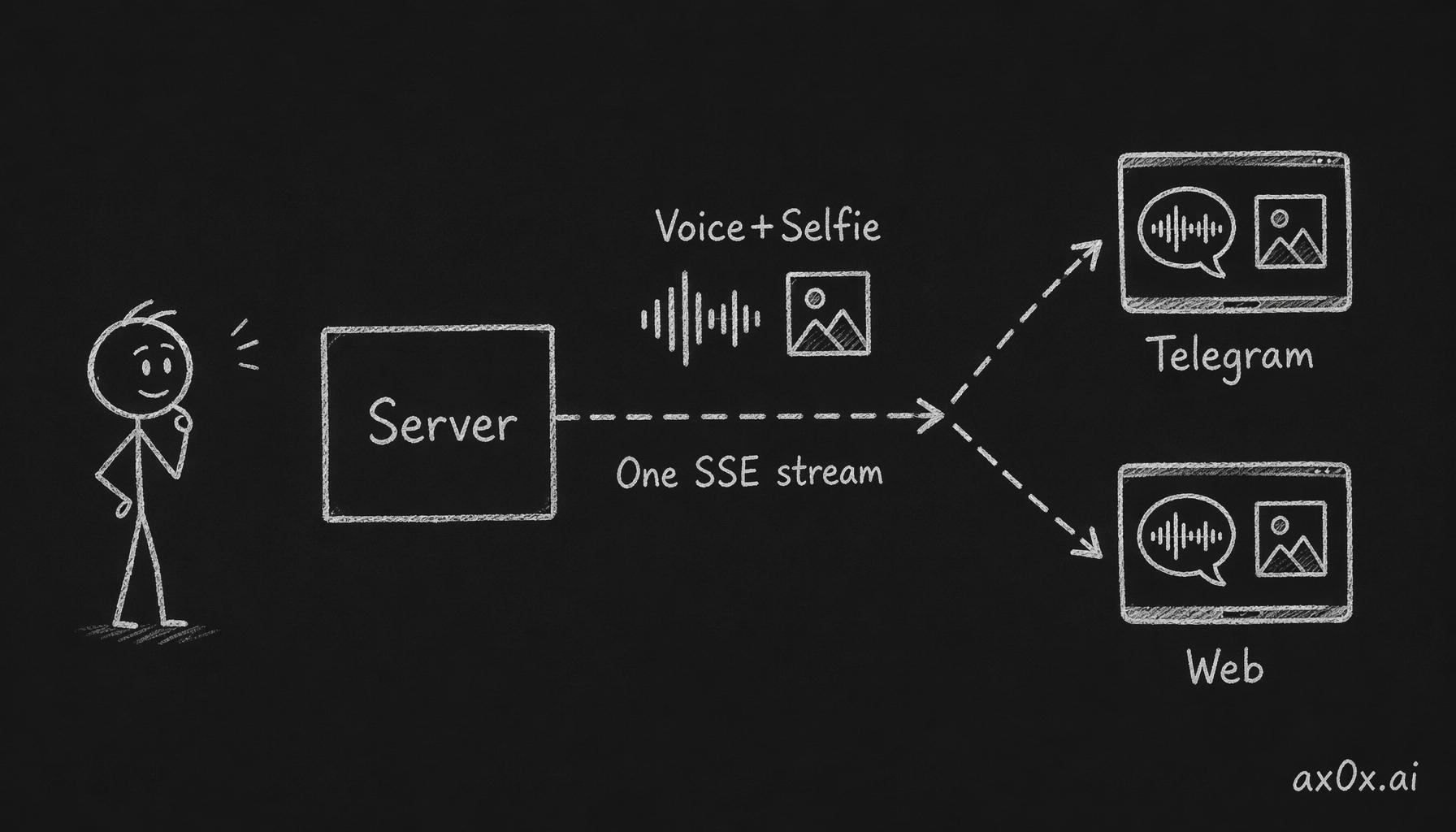 The server pushes voice and selfie as first-class events through the same SSE connection, so both Telegram and Web clients receive them and the platform asymmetry disappears.
On the frontend, voice needed its own component. I wanted something that felt familiar to Chinese users — WeChat's voice message UI. A green bubble with animated sound wave bars that pulse while playing. Tap to play, tap again to pause. The VoicePlayer component renders three vertical bars that animate with CSS keyframes, staggered by 100ms each:
.bar {
  animation: pulse 0.6s ease-in-out infinite;
}
.bar:nth-child(2) { animation-delay: 0.1s; }
.bar:nth-child(3) { animation-delay: 0.2s; }
Simple. Recognizable. No one needs to learn what it means — they've seen it in WeChat a thousand times.
Selfie images render inline in the chat, same as they do in Telegram. No lightbox, no download button. Just the image, in the conversation flow, like someone texted you a photo.
The trickier part was sending media from the web client. Telegram handles file uploads natively — the chat input has a paperclip icon, you pick a file, done. The web client needed this from scratch.
Two-phase upload: the user selects files, they appear in a preview strip below the input field. Thumbnails with an X to remove. Only when the user hits send does the actual upload happen. This prevents accidental sends and lets users review what they're about to share. The preview strip sits between the input and the send button — visible but not intrusive.
Relationship First
v0.1.0 cut onboarding from 14 questions to 4. v0.1.1 cuts it further to 3 — and reorders what remains.
The old flow asked for your nickname first, then relationship type. Logical sequence: who are you, then how do you want to interact. But it missed something — the nickname options should depend on the relationship.
If you choose 情侣 (romantic partner), the nickname suggestions should be 宝贝, 老婆, 亲爱的. If you choose 好朋友 (good friend), they should be 同学, 朋友, or just your name. A friend calling you 宝贝 is weird. A partner calling you 同学 is cold.
v0.1.1 flips the order. Relationship type is now question one. The nickname picker comes second, and its options change dynamically based on what you chose:
const options_map = {
  '情侣': ['宝贝', '老婆', '亲爱的', '老公'],
  '好朋友': ['同学', '朋友', '{name}'],
  '暧昧': ['小哥哥', '小姐姐', '{name}'],
}
The depends_on + options_map pattern. Each onboarding step can declare a dependency on a previous answer, and the UI renders accordingly. No hardcoded conditionals — the onboarding config drives everything.
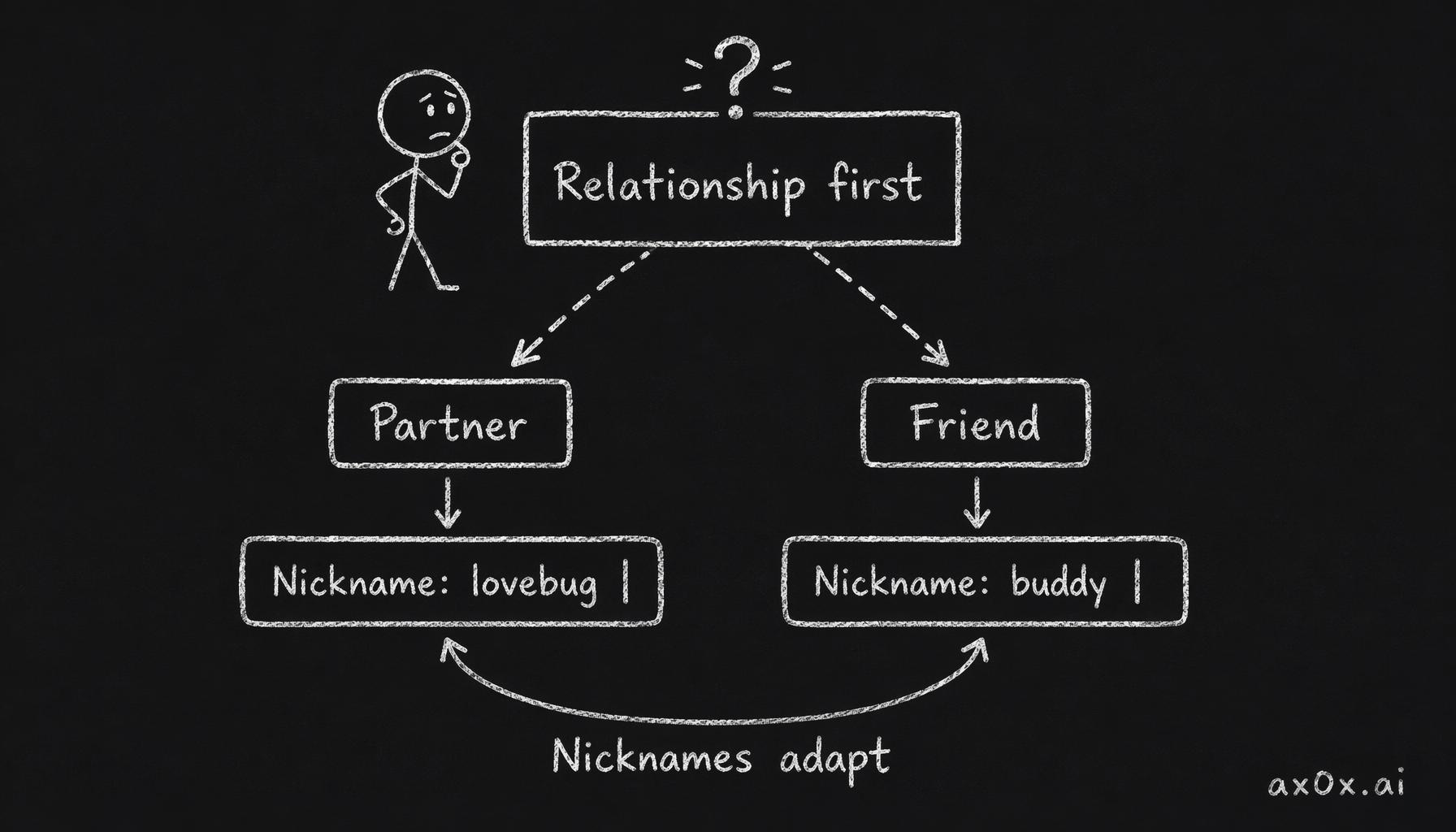 Relationship type is asked first, and the nickname options are driven dynamically by that answer through config rather than hardcoded branches.
Timezone was question 3 in v0.1.0. It's gone now. The browser knows the user's timezone — Intl.DateTimeFormat().resolvedOptions().timeZone gives you Asia/Shanghai or America/Los_Angeles without asking. One fewer question, zero information lost.
Gender-neutral defaults throughout. The default nickname suggestions don't assume gender. Relationship types use inclusive labels. Small detail, but it removes a friction point for users who don't fit binary categories.
Three questions: relationship type, nickname, about you. That's it. You're talking to Mio in under a minute.
Admin Cost Dashboard
Running five AI personas across multiple users means costs add up in ways that are hard to track without tooling. Which operation costs the most? How much am I spending per day? Is there a user burning through API credits?
v0.1.1 adds an admin-only cost dashboard. Dark theme — because dashboards should be dark. Three panels:
Summary: Today's total cost and all-time cumulative spend. Two numbers, front and center.
Category breakdown: A table showing each operation type (TTS, selfie generation, LLM inference, memory extraction), with count, total cost, and average cost per operation. This tells you where the money goes. Turns out selfie generation is 10x more expensive per call than TTS — good to know when deciding whether to rate-limit it.
Recent transactions: The last 20 cost events, newest first. Each row shows the operation, the user, the cost, and the timestamp. Useful for spotting anomalies — a single user generating 50 selfies in an hour stands out immediately.
Daily cost chart: A line graph of daily spend over time. Trends matter more than absolutes — a gradual increase is expected as users grow, a sudden spike means something broke or someone's abusing the system.
All cost queries use UTC consistently. This was a bug fix bundled into the feature — some queries were using local time, some UTC, which made daily aggregations wrong when the server timezone didn't match the query timezone.
30-Day Message Retention
Chat history grows linearly. Every message from every user, stored forever. For a prototype with 10 users, this doesn't matter. For a product, it's a ticking time bomb.
Mio's memory system already extracts important information from conversations into long-term memory entries. The raw messages are mostly redundant after extraction — you don't need the actual chat logs from three weeks ago when the memories capture the essentials.
v0.1.1 adds a pg_cron job that runs daily at 4am UTC:
SELECT cron.schedule(
  'delete-old-messages',
  '0 4 * * *',
  $$DELETE FROM messages WHERE created_at < NOW() - INTERVAL '30 days'$$
);
A B-tree index on created_at makes the deletes efficient — no full table scan, just an index range lookup and batch delete.
Why 30 days? Long enough that recent context is always available for the LLM. Short enough that the database doesn't grow without bound. The memory system has already processed anything older than a few days, so the raw messages are redundant.
No soft deletes, no archival, no "move to cold storage." Just delete. The messages served their purpose — they were part of a conversation, the important bits were extracted into memories, and now they can go.
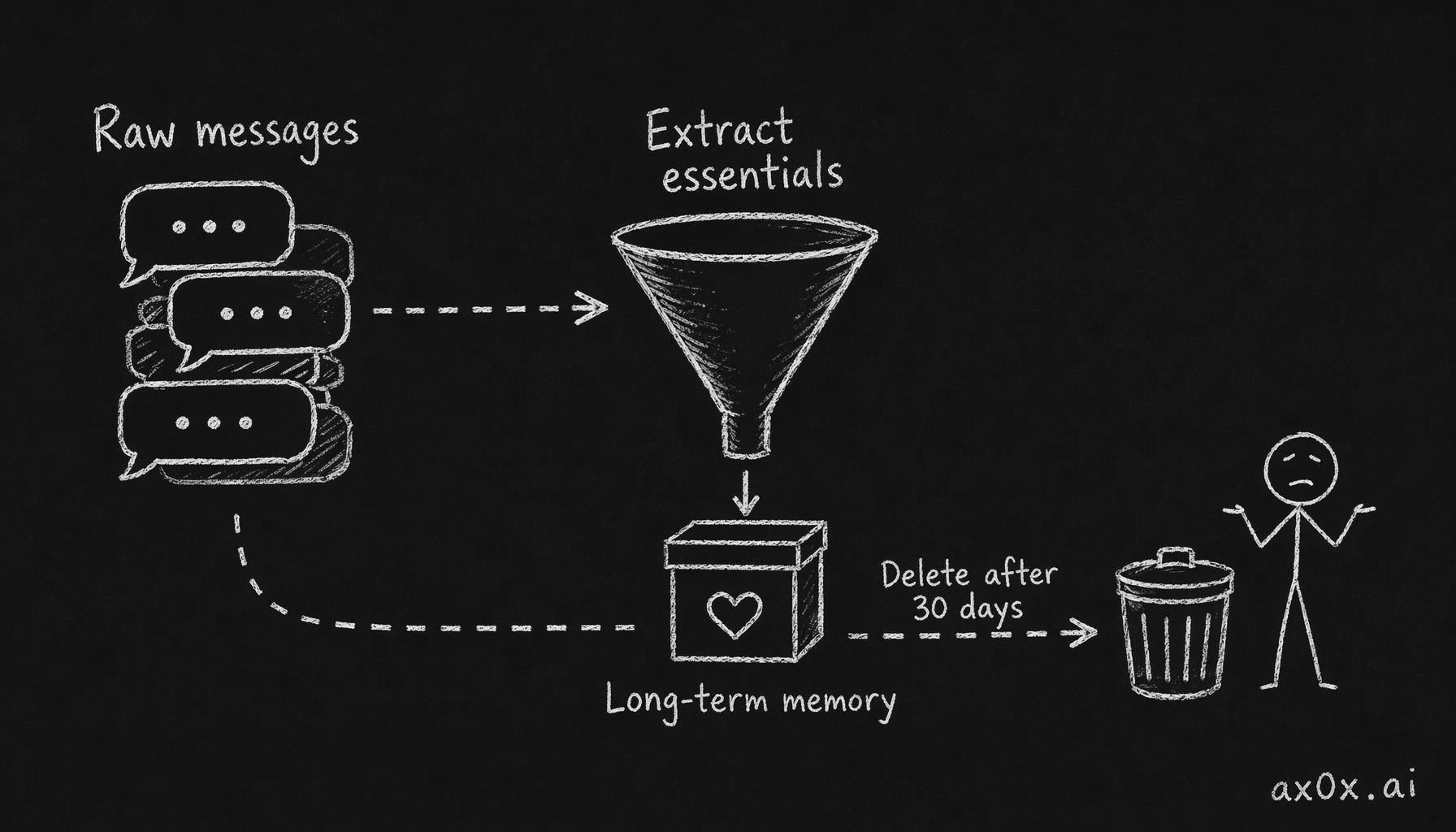 The memory system extracts the essentials of a conversation into long-term memory first, making the raw messages redundant, so deleting them after 30 days loses no information.
Persona Updates
Two practical changes to the persona presets.
情侣 relationship support: The mimi-guimi and surou-xuejie presets now have specific behavior patterns for 情侣 (romantic partner) relationships. Before, choosing 情侣 with these personas felt generic — they'd default to friendly behavior because they had no romantic-specific guidelines. Now each has tailored responses for romantic contexts — how they express affection, jealousy, missing you, goodnight routines.
keke-taimei Traditional Chinese: Keke's entire preset — identity definition, behavior rules, personality config, communication guidelines — is now fully in Traditional Chinese. Keke is a Taiwanese character. The persona should think in Traditional Chinese, not Simplified Chinese that gets surface-level converted. The difference shows up in word choice: 軟體 not 软件, 訊息 not 消息, 蠻好的 not 挺好的. It's the difference between a Taiwanese person and a mainlander doing a Taiwanese accent.
Bug Fixes
Discover page crash: The Discover page (where users browse available personas) was crashing on load. A component expected an array, received undefined. The fix was a defensive check — personas ?? [] — but the root cause was an API response shape change that wasn't propagated to the frontend.
AgentResponse shape mismatch: The agent response type had drifted between the server and client. The server was returning { text, voice?, selfie? }, the client expected { content, media? }. Aligned to a single shared type.
Voice player cleanup: The VoicePlayer component wasn't cleaning up its Audio object on unmount. If a user navigated away while a voice message was playing, the audio continued in the background. Added a cleanup function in the useEffect return.
What Changes
Before v0.1.1: Mio's voice and face existed, but only Telegram users experienced them. The web client was a text chat with extra steps. Onboarding asked for your timezone even though the browser already knew it. No visibility into costs. Messages accumulated forever.
After v0.1.1: the web client is a full peer to Telegram — voice waves pulse, selfies appear inline, media uploads have previews. Onboarding is three questions, and the second one adapts to the first. Costs are visible at a glance. And the database cleans up after itself, because a product that grows without bound isn't a product — it's a liability.