
From 31 to 68: When Your Catalog Outgrows Its Navigation
The session started with five bugs and ended with a completely new browse experience. That wasn't the plan.
I'd blocked off the day to squash a backlog of annoyances — caption generation firing twice, Gemini content blocks slipping through, WeChat's in-app browser breaking everything. Normal cleanup work. The kind of day you finish feeling productive but not excited.
Then a user request came in: "Can you add travel destination cards? Hong Kong, Japan, Southeast Asia, that kind of thing."
Twelve hours later, ÉLAN had 68 Muse Cards instead of 31, a completely redesigned browse taxonomy, and I'd orchestrated the creation of 37 card definitions, 37 cover images, and 444 sample photos — all in a single session.
The cards were the easy part. The hard part was realizing that our navigation was broken.
Act 1: The Bug Fix Gauntlet
Before any new features, I needed to clear the deck. Five issues had been accumulating:
Redundant caption generation on web. The server already generated captions in parallel via SSE — the mobile client consumed them correctly, but the web client was ignoring the server response and firing its own caption generation call. Same work, done twice. The fix was straightforward: remove the client-side generation and consume the SSE stream properly. But it had been burning API credits for days before I caught it.
Gemini's dual content-blocking paths. This one bit me twice before I understood the pattern. Gemini has two completely separate mechanisms for blocking content: promptFeedback.blockReason fires when the prompt itself is rejected (before any generation), and candidate.finishReason === 'SAFETY' fires when the output triggers safety filters (after partial generation). You have to check both. I was only checking the first, which meant some blocked outputs were silently returning empty results instead of showing an error.
WeChat's in-app browser. WeChat's built-in browser is a special circle of web development hell. It doesn't support many modern APIs, breaks blob URLs, and has its own idiosyncratic JavaScript engine. Rather than trying to support it — which would mean maintaining a separate compatibility layer forever — I built a hard block: detect the WeChat user-agent, show a modal explaining the issue, and offer a "copy link to open in Safari/Chrome" button. Sometimes the right fix is to not fix it.
Image size explosion. Gemini only outputs PNG format. For photographic content, that means 3-5 MB per image. Users were waiting ages on mobile data. Server-side compression with sharp — converting PNG to JPEG with quality 85 — brought images down to 600KB-1MB. A 3-5x reduction with negligible visual difference.
Zustand stale closure. A classic React pitfall that's easy to miss with Zustand: a useEffect captured a stale reference to the store state. The effect ran, read a value, but the value was from the previous render. Fix: use getState() to read fresh state inside the effect instead of relying on the closure. The kind of bug that works 95% of the time and fails inscrutably the other 5%.
Five bugs, half a day. The deck was clear.
Act 2: The Travel Landmark Expansion
The user request was broad: "travel destinations — HK/Macau/Taiwan, Southeast Asia, Japan, Yunnan, Tibet, Xinjiang, Europe."
That's seven regions. Each needs multiple scenes. Each scene needs a full Muse Card definition — scene config, outfit, poses, color grading, captions. I wasn't going to design 40+ cards by hand.
I dispatched four parallel research agents, each covering a different cluster of regions:
- Japan — temples, gardens, street scenes, seasonal spots
- Southeast Asia + HK/Macau/Taiwan — tropical beaches, colonial architecture, night markets, skylines
- China domestic — Yunnan terraces, Tibetan plateaus, Xinjiang desert, Zhangjiajie
- Europe — Mediterranean villages, Parisian cafés, Swiss alps, Icelandic landscapes
Each agent returned a ranked list of scenes with AI feasibility scores — a 1-10 rating of how well current image generation models handle that specific scene.
The results were illuminating. Some patterns:
Natural landscapes generate beautifully. Rice terraces, lavender fields, alpine lakes — the models nail these. Clean geometry, consistent lighting, no text or fine detail that could go wrong.
Simple architectural icons work. Torii gates, Santorini blue domes, Angkor Wat silhouettes. Recognizable shapes with strong visual identity.
Dense text and signage fail. Shibuya Crossing, Dotonbori, Hong Kong neon streets — anywhere with prominent text in the scene. AI generates gibberish characters that immediately break immersion. These scenes got low feasibility scores and were cut.
Crowds are unreliable. Night markets, temple festivals, street photography — anything requiring realistic background crowds tends to produce uncanny results. We stuck to scenes where the person is relatively isolated in the frame.
From 40 ranked candidates, I selected 37 that scored 7+ on feasibility. Combined with the existing 31 cards, ÉLAN now had 68 Muse Cards.
And that's when the real problem appeared.
Act 3: The Taxonomy Pivot
With 31 cards, the original four-category tab system worked fine. You had Wanderlust, City Drift, Poetic Daily, and Seasonal. Each tab had 7-10 cards. Browse, pick, done.
With 68 cards, it was a mess.
My first instinct was to add region-based tabs: Japan | Southeast Asia | Europe | Domestic China | HK/Macau/Taiwan. Geography as the organizing principle. It seemed logical — the new cards were literally organized by destination.
I was about to implement it when the pushback came — from my own design review, not from a user. The problem crystallized the moment I tried to map cards to regions:
Uneven buckets. Domestic China would have 12 cards. HK/Macau/Taiwan would have 3. That's a lopsided UI — some tabs feel rich, others feel empty.
Similar vibes split across tabs. Bali beach, Sanya beach, Phuket beach — three cards with nearly identical emotional appeal, scattered across three different region tabs. A user thinking "I want a dreamy beach photo" would have to check three tabs to find all the options.
Users don't think in geography. This was the key insight. When someone opens ÉLAN, they're not thinking "I want a Japan photo." They're thinking "I want a dreamy vacation vibe" or "I want an urban night scene" or "I want something cozy and cultural." The mental model is mood-first, not map-first.
Region-first navigation works for travel booking apps where you've already decided where to go. It doesn't work for inspiration apps where you're browsing for a feeling.
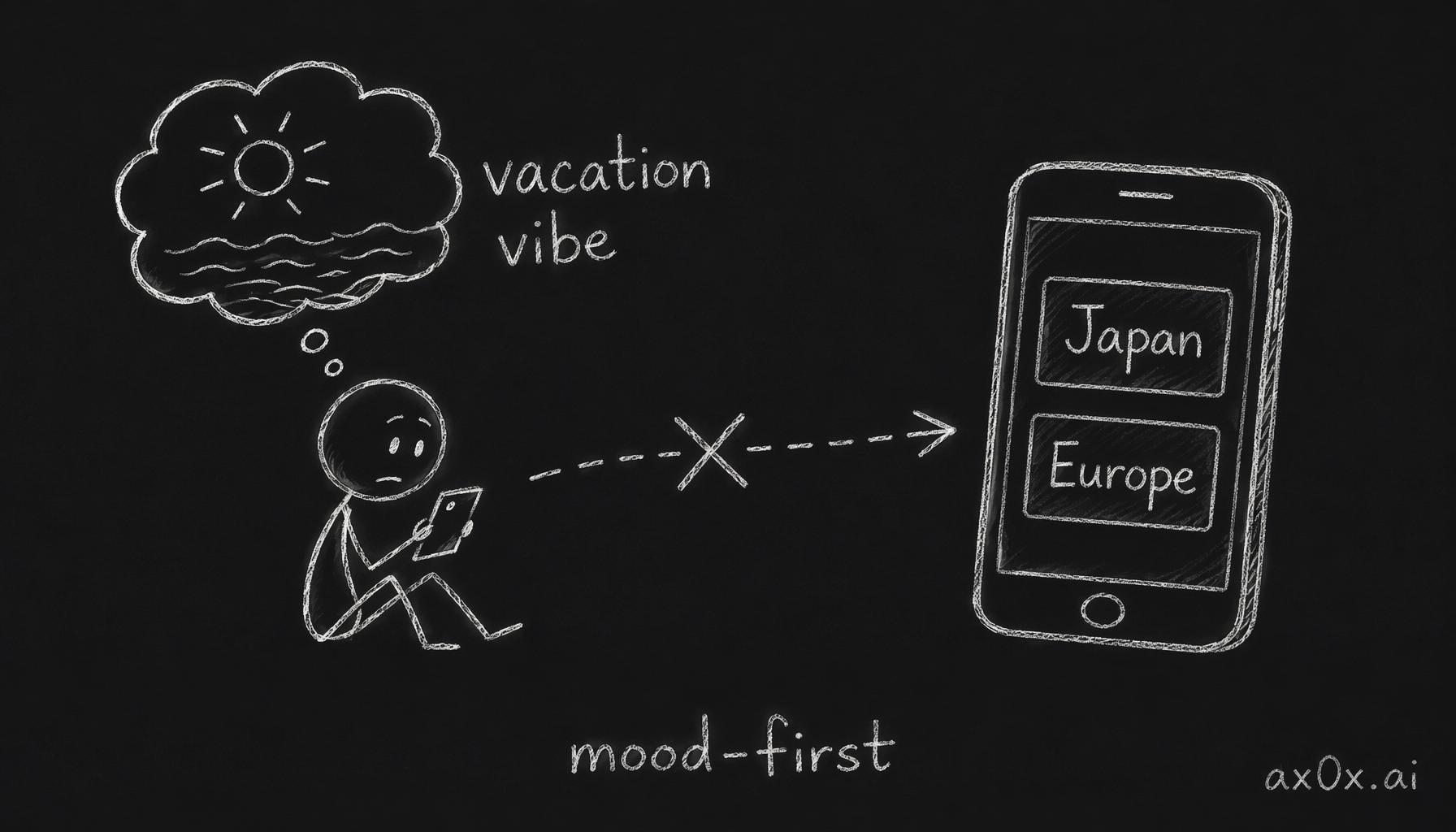 Users browse for a feeling, not a location, so geography-first tabs mismatch the user's mental model
The Two-Axis Solution
The answer was a two-layer system:
Primary axis: Vibe tabs — what emotional register are you in?
| Tab | Chinese | What's inside |
|---|---|---|
| Vacation & Relaxation | 度假放松 | Beaches, pools, resort mornings — anywhere that says "I'm unwinding" |
| Secret Nature | 自然秘境 | Mountains, terraces, forests, plateaus — raw natural beauty |
| Urban Light & Shadow | 都市光影 | Skylines, rooftops, neon, street scenes — city energy |
| Cultural Experience | 文化体验 | Temples, tea houses, traditional architecture — depth and heritage |
| Refined Living | 精致生活 | Cafés, galleries, fine dining, wellness — everyday luxury |
| Seasonal Specials | 时令限定 | Cherry blossoms, autumn leaves, snow scenes — time-limited moments |
Secondary axis: Region chips — optional overlay filter.
🇯🇵 Japan | 🌴 Southeast Asia | 🇭🇰 HK/Macau/Taiwan | 🇪🇺 Europe | 🇨🇳 Domestic China
The chips sit below the vibe tabs. Tap one to filter within the current vibe. Tap again to clear. The default state shows all regions.
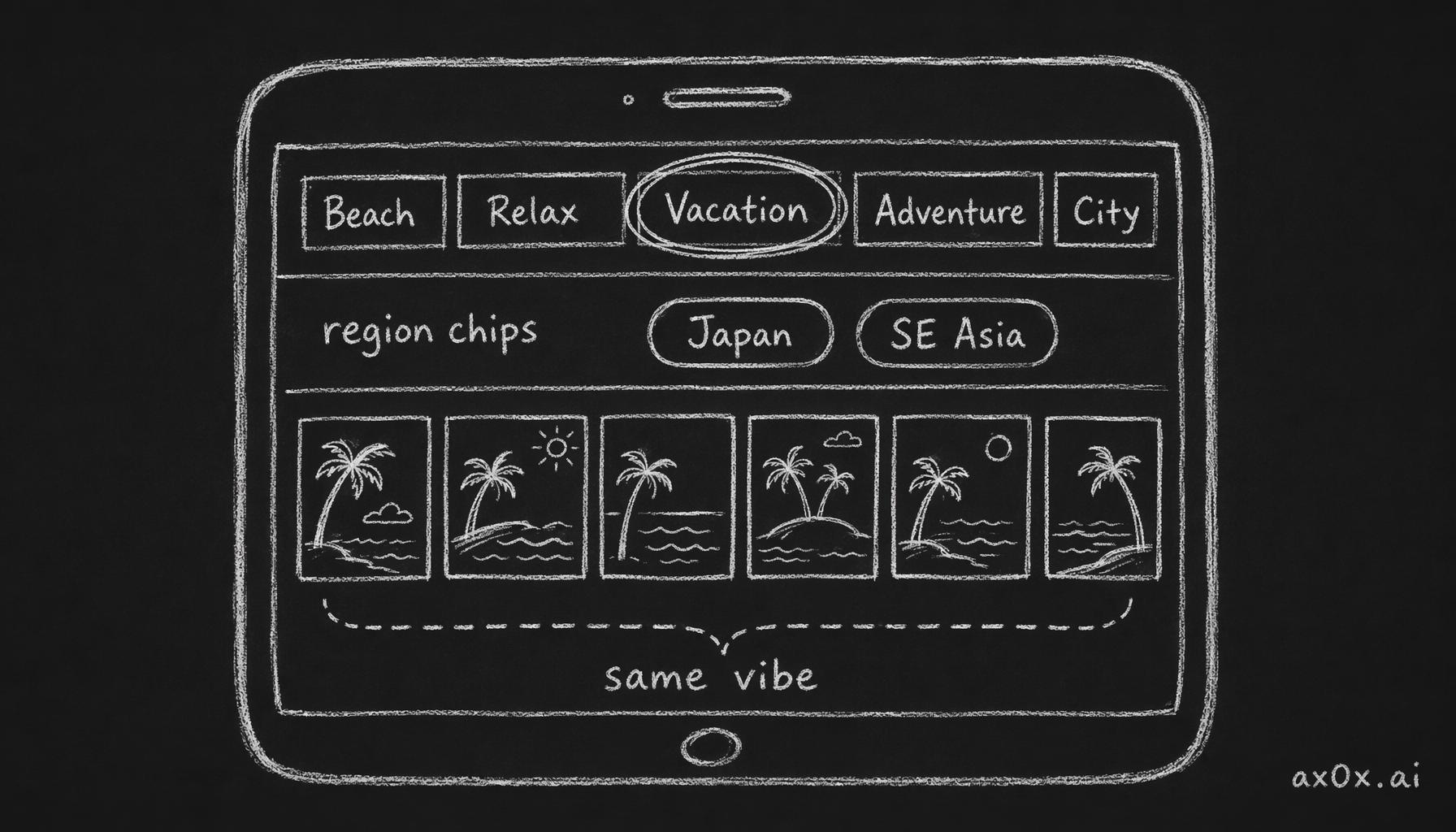 A primary vibe-tab axis plus a secondary optional region-chip filter keeps same-vibe cards together, then narrows by region
This means a user can:
- Browse "Vacation & Relaxation" and see beaches from Bali, Sanya, Phuket, and Santorini together — because the vibe is the same
- Then tap 🇯🇵 to see only Japanese vacation spots
- Or ignore regions entirely and just browse by mood
The existing 31 cards absorbed naturally into the new taxonomy. The original "远方的光" (Wanderlust) cards split across "Vacation & Relaxation" and "Secret Nature" based on their actual vibe. The original "城市漫游" (City Drift) cards moved into "Urban Light & Shadow." Nothing was forced.
Why This Works
The vibe-first approach solves all three problems:
- Even buckets. Each vibe tab has 8-14 cards. No tab feels empty.
- Similar vibes together. All beach cards live in one tab regardless of country. All temple cards live in another.
- Matches the user's mental model. You open the app, you pick a mood, you optionally narrow by region. The browse flow mirrors how people actually think about aspirational photos.
The taxonomy debate took about 30 minutes. Implementing it took another hour. But it was the most important design decision of the entire session — because without it, 68 cards would have been an overwhelming wall of options instead of a navigable catalog.
Act 4: Industrial-Scale Content Creation
With the taxonomy decided, I needed to actually produce 37 new Muse Cards. Each card requires:
- Card definition — scene config, outfit, poses, color grading, captions (~200 lines of structured data)
- Cover image — the preview thumbnail users see when browsing
- Sample images — 12 per card (4 studio shots + 4 selfie shots + 4 instax/polaroid shots) to show users what the output looks like
That's 37 definitions + 37 covers + 444 sample images. In one session.
Card Definitions: Parallel Agent Orchestration
I split the 37 cards across 4 parallel agents, each responsible for a cluster of related cards:
- Agent 1: Japan scenes (8 cards)
- Agent 2: Southeast Asia + HK/Macau/Taiwan (10 cards)
- Agent 3: Domestic China (11 cards)
- Agent 4: Europe (8 cards)
Each agent received the MuseCard TypeScript interface, three example cards from the existing catalog as style reference, and its assigned scene list. The output: complete card definition files, each ~7,000 lines of structured data total across all agents.
One agent hit its token limit mid-generation — it was trying to write 11 card definitions in a single output. The fix: split it into two sub-agents, each handling 5-6 cards. A practical lesson in orchestration limits. When you're generating thousands of lines of structured data, even large context windows have a ceiling. Plan for it.
Cover Images: Batch Generation
37 cover images generated via Gemini API, each following the same visual language as the existing covers — clean, aspirational, no text overlay. The raw outputs were PNG (Gemini's only option), averaging 2 MB each. A batch conversion to WebP brought them down to ~150 KB — a 13x reduction that makes the browse grid load instantly on mobile.
Sample Images: 444 Photos
This was the production-scale challenge. Each of the 37 new cards needed 12 sample images:
- 4 studio-quality shots (the card's pose sequence)
- 4 selfie-style shots (closer, more casual, different angle)
- 4 instax/polaroid shots (film aesthetic, square crop, softer color)
444 images total. Generated in batches by card, with each batch running the card's full prompt system against reference face images.
Face Drift QC
At this volume, quality control becomes a real concern. The biggest failure mode: face drift — where the generated face drifts away from the reference photos, producing output that doesn't look like the user.
I built a QC pipeline using Gemini Flash as a judge. For every generated sample, Flash compared it against the reference face images and scored similarity on a 1-10 scale. Images scoring below 7 were flagged for regeneration.
Round 1 results: 95.2% pass rate. 21 out of 444 images flagged.
After regenerating the flagged images: ~97%+ pass rate. The remaining few edge cases were borderline — faces at extreme angles or heavy shadow — where some drift is unavoidable.
The Meta-View
One person orchestrated 37 card definitions, 37 covers, and 444 sample images in a single session. Not a team. Not a studio. One person with Claude Code running parallel agents and Gemini generating images.
This is the super individual thesis in action — not as theory but as Tuesday afternoon reality. The bottleneck wasn't generation (the AI handles that) or even quality control (automated). The bottleneck was decision-making: which scenes to include, how to categorize them, what aesthetic direction to push. The human work is taste and judgment. Everything else scales.
Act 5: The Meta-Lesson
When your catalog grows 2.2x in a day, adding cards is the easy part. The hard part is rethinking how users browse.
The vibe-first taxonomy wasn't planned. It wasn't on any roadmap. It emerged from the tension between content volume and navigation simplicity. If I'd added 37 cards to the old four-category system, users would have faced tabs with 15-20 cards each — decision fatigue territory. The content expansion forced a navigation redesign that actually makes the product better even for the original 31 cards.
This is a pattern I keep seeing in AI-accelerated development: the speed of content creation outpaces the speed of information architecture. You can generate 37 cards in an afternoon. You cannot design a good taxonomy in an afternoon — unless the pressure of the content forces you to.
The bugs were annoying. The expansion was exciting. But the taxonomy pivot — the 30-minute design debate that restructured the entire browse experience — was the most valuable thing that happened all day.
Sometimes the best product insight comes from a problem you created for yourself.
Part 1: The Vanity Formula | Part 2: Architecture | Part 3: Muse Card Design | Part 4: Web to Mobile | Part 5: The Spinoff | Part 6: Discovery Redesign
This post is also available in Chinese (中文版).