
v0.0.4: Building a Native Feel
Why WeChat?
At the end of Part 4, Mio was production-ready. Inputs were validated, heartbeats were context-aware, tests were passing, and deployments no longer caused deafness. A solid Telegram bot.
But Telegram is not where Chinese users live.
The web app existed, but it was a bare single-page chat — functional in the way a terminal is functional. You open it, you type, you get a response. No navigation, no sense of place, no familiarity.
I kept asking myself: what interface do Chinese users already understand without any onboarding? The answer was obvious. WeChat. Every Chinese smartphone user has WeChat muscle memory burned into their fingers — the four tabs at the bottom, the chat list sorted by recency, the green accent color, the "Discover" page. It's not a UI pattern, it's a reflex.
v0.0.4 doesn't just add a pretty skin. It rebuilds the entire web experience around a mental model that 1.3 billion people already have.
The Four Tabs
The new layout has four tabs, mirroring WeChat exactly:
- 消息 (Chats): Agent conversations sorted by last message, with search and relative timestamps
- 通讯录 (Contacts): Agent list grouped by preset type, with an "Add Agent" button
- 发现 (Discover): A preset marketplace — browse personality presets with summaries and one-tap "添加" buttons
- 我 (Me): Profile card, settings display, logout
Each tab is a real page with its own route. This isn't a SPA pretending to have tabs — it's a proper multi-page architecture with shared layout.
Why mirror WeChat so closely? Because familiarity removes friction. A user who opens the app for the first time should never think "how do I use this?" They should think "oh, I know where everything is." The best UI is one the user already learned somewhere else.
Chinese-First, Not Chinese-Translated
Every piece of user-facing text is in Chinese. Not translated from English — written in Chinese from the start.
This distinction matters. Translated UIs feel off. The spacing is wrong, the phrasing is awkward, the tone is formal where it should be casual. "对方正在输入..." (the other party is typing) is not a translation of "typing..." — it's the phrase Chinese users have seen thousands of times in WeChat. That exact string carries familiarity that no translation can manufacture.
Mio is built for Chinese users. The UI should feel native, not imported.
The Design System
I didn't use a component library. No Ant Design, no Material UI, no shadcn.
Instead, I built a design system from scratch using CSS custom properties — what I'm calling "WeChat 2025 design tokens." Colors, spacing, border radii, shadows, typography scales — all defined as CSS variables, all inspired by WeChat's current design language but not slavishly copying it.
Why not use a library? Two reasons. First, Mio's UI is intentionally opinionated — it needs to feel like WeChat, not like "a React app with Chinese text." Component libraries impose their own visual language, and fighting that language costs more time than building from scratch. Second, zero new dependencies. v0.0.4 adds 30+ new components without adding a single new package to package.json. Every component uses the same design tokens, which means visual consistency without the weight of an external library.
A shared avatar utility ensures agent avatars render consistently across all four tabs and the chat page. Small detail, but inconsistent avatars across different views is one of those things that makes an app feel unfinished.
Chat-Style Onboarding
Mio's Telegram onboarding was button-based — inline keyboards, callback queries, the standard Telegram bot UX. It works, but it feels like filling out a form.
The web onboarding is completely different. It's a chat-style Q&A flow: Mio asks questions as chat bubbles, you answer by tapping styled buttons. It feels like a conversation, not a questionnaire.
The backstory selection is the highlight. Instead of a dropdown or a radio group, Mio presents backstory options as messages — you read them in-context, and your choice flows naturally into the conversation. By the time onboarding is done, you've already had your first "chat" with Mio, even though every response was pre-scripted.
This matters because onboarding sets the tone. If the first experience feels mechanical, users will treat the product mechanically. If it feels like a conversation, they'll treat Mio like a conversational partner from minute one.
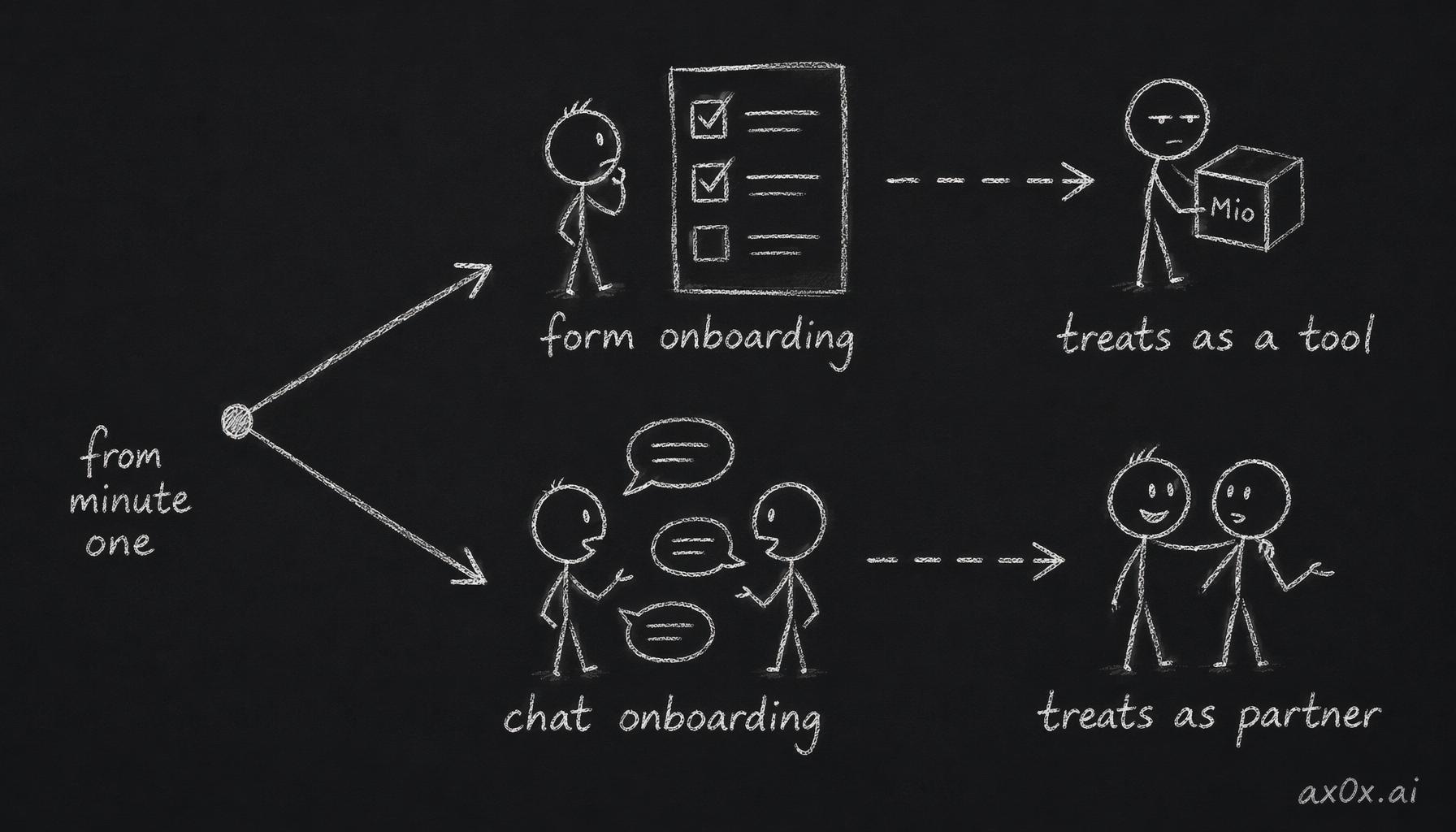 Form vs chat onboarding sets the user's mindset: a form makes users treat Mio as a tool, while a chat makes them treat it as a partner from minute one
Typing-Aware Message Batching
Here's a subtle but important feature: client-side message batching.
In a naive implementation, every keystroke followed by Enter sends a separate message. Users who type in short bursts — "hey" [send] "how are you" [send] "I had a rough day" [send] — would trigger three separate API calls, three separate AI responses, and a fragmented conversation.
The batching system watches for typing patterns. If the user sends a message and starts typing again within a short window, the system holds the first message and waits. When the typing pauses long enough, it batches everything into a single coherent message before sending it to the AI.
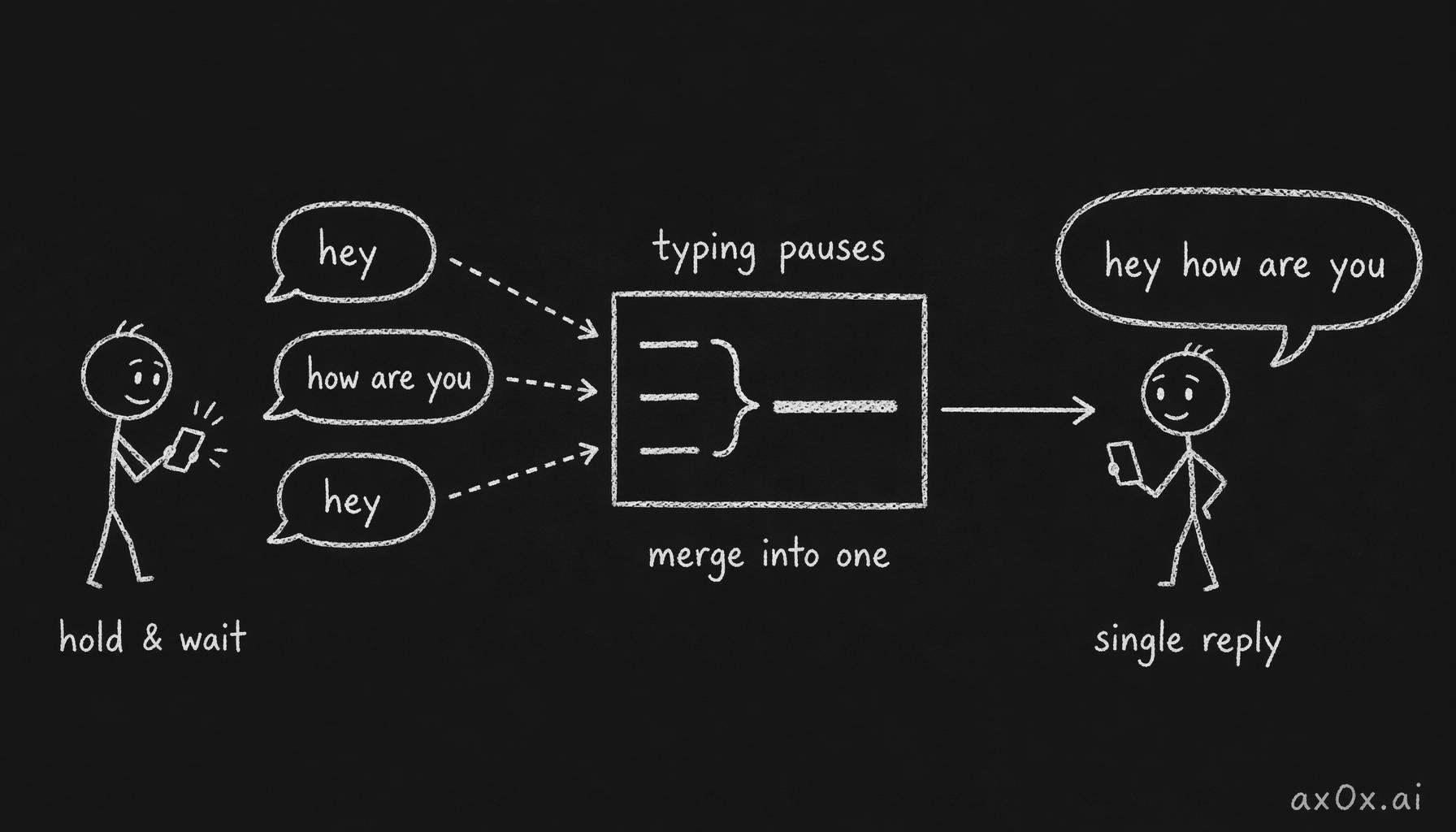 Typing-aware batching: rapid short messages are held, then merged on a long enough pause into one message sent to the AI for a single reply
This mimics how WeChat conversations actually work. People send rapid-fire short messages. A good chat interface should understand that "hey" + "how are you" sent 2 seconds apart is one thought, not two.
No new dependencies. Just a custom usePolling hook that handles visibility-aware intervals — it pauses when the tab is hidden and resumes when it's visible again.
Route Architecture
Each chat lives at /chats/[agentId] — a dynamic route that loads the agent's conversation history, displays the typing indicator ("对方正在输入..."), and handles message sending.
Middleware protects all four tabs. If you're not authenticated, you get redirected. And for backward compatibility, /chat redirects to /chats — because URLs are promises, and breaking them breaks trust.
The useAgents hook manages agent list state and session data across all views. One hook, one source of truth, consumed by multiple tabs. This avoids the classic problem of the chat list showing stale data after you've been in a conversation.
Two Audit Rounds
30+ new and modified components is a lot of surface area for bugs.
After the initial implementation landed, I ran two complete audit rounds. The first caught CSS variable inconsistencies, XSS vulnerabilities in message rendering, and accessibility issues. The second caught duplicated avatar logic (now centralized) and edge cases in the contact grouping logic.
Every CRITICAL and HIGH issue from both rounds was fixed before the release. Clean typecheck. No new dependencies.
This is the same philosophy from Part 4: ship when the audit is clean, not when the feature is done. A feature without an audit is a liability.
30+ Components, Zero New Packages
This is the number I'm most proud of. The entire WeChat redesign — four tab pages, chat page, onboarding flow, design system, hooks, middleware — adds 30+ components to the codebase without adding a single new dependency.
Every component uses the same CSS custom properties. Every hook follows the same pattern. The usePolling hook is 30 lines. The useAgents hook manages agent state, session data, and real-time updates in under 100 lines.
Keeping the dependency count flat isn't about being a purist. It's about control. Every dependency is a decision someone else made that you now have to live with. At this stage, Mio's web frontend is small enough that building from scratch is faster than learning, configuring, and debugging someone else's abstraction.
From Bot to App
v0.0.3 made Mio a reliable Telegram bot. v0.0.4 makes it a proper web application.
The difference isn't just visual. A Telegram bot lives inside someone else's platform — you're constrained by their UI, their rules, their update cycle. A web app is yours. You control the onboarding, the navigation, the entire experience from first load to last message.
Mio now has two homes: Telegram for users who prefer messaging apps, and the web for users who want the full experience. Same AI, same personality, same memory — different interfaces for different contexts.
Looking back from Part 1 to here, Mio has gone from an architectural decision to a multi-platform product with a design language of its own. The foundation is solid. The next step is making Mio speak — not just type.
But that's a v0.0.5 story.