
v0.0.5: Photos, Voice, and the Security Gauntlet
The Last Missing Piece
In Part 3, Mio learned to see images, hear voice messages, and send selfies — on Telegram. The web chat, which launched in the same release, was text-only. You could type, you could receive streamed replies, but you couldn't send a photo or a voice clip.
After Part 5 rebuilt the web UI from scratch, this gap became impossible to ignore. The web chat looked and felt like a real messaging app — except it couldn't handle media. Like a phone with no camera.
v0.0.5 closes that gap. Photos, videos, voice recordings, emoji — everything Telegram users have had since day one, now available in the browser.
38 files changed, 3,009 lines added, 28 minutes from start to tagged release.
Two-Phase Upload
The architecture decision that drives everything: upload first, send later.
When you pick a photo or finish recording a voice clip, the client uploads the file to POST /chat/media immediately. The server validates it, stores it in memory, and returns a mediaId. When you hit send, the message payload includes mediaIds[] alongside whatever text you typed.
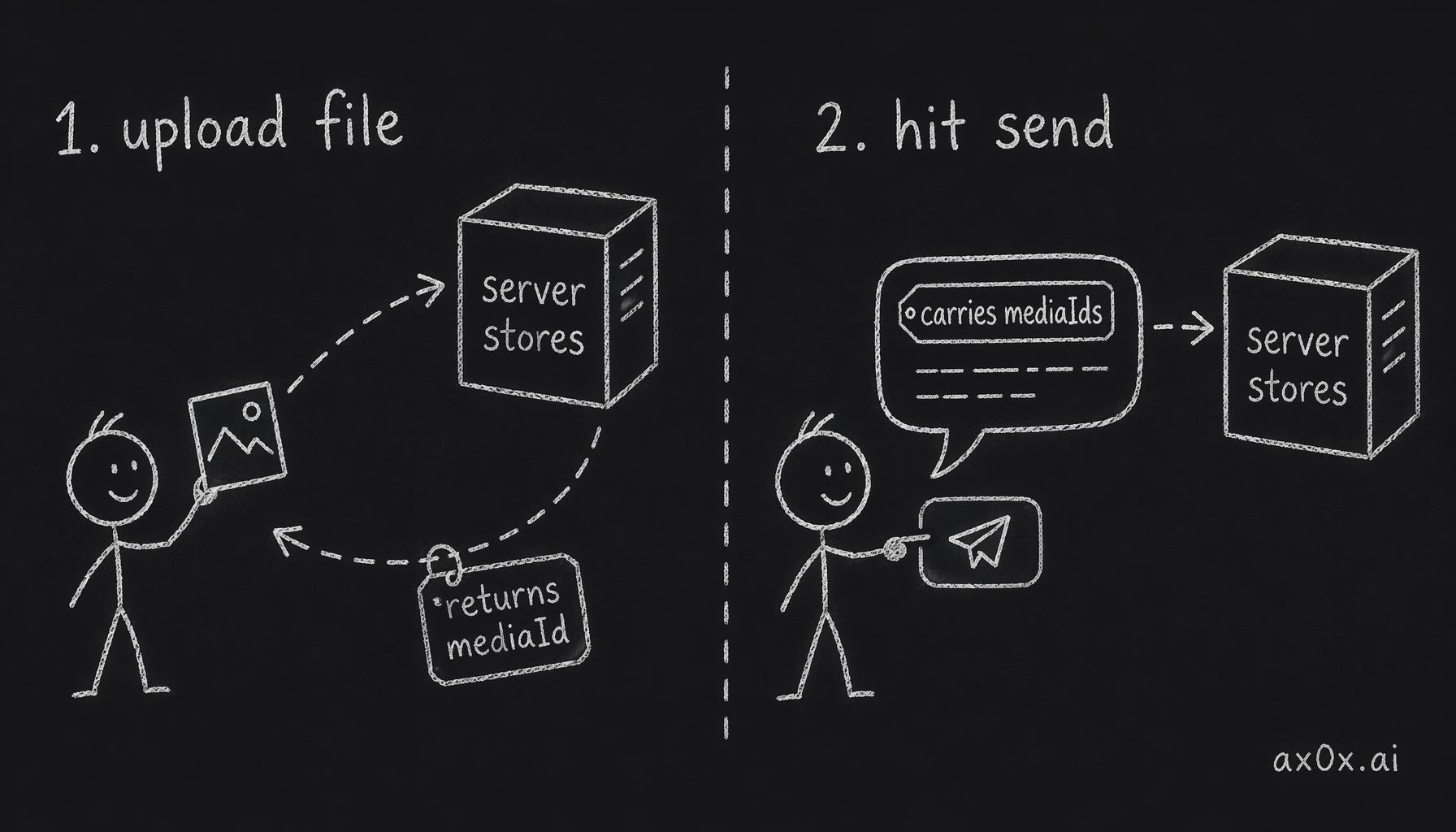 Two-phase upload: the file goes to the server first and comes back as a mediaId, so the send message only carries mediaIds — upload and send become two separate steps
Why not just send the file with the message? Because upload and send are fundamentally different operations with different failure modes. An upload might fail due to file size, invalid format, or server memory pressure. A message send might fail due to authentication or rate limiting. Separating them means you can show upload progress, handle upload errors gracefully, and let the user review attachments before committing to send.
On the server side, the media endpoint reuses the existing processMedia() pipeline — the same code that handles Telegram photos and voice messages. The only new piece is an in-memory web downloader that wraps the uploaded buffer in the same interface the Telegram file downloader exposes. One pipeline, two input sources, zero duplicated processing logic.
Voice Recording: Codec Negotiation
Voice recording sounds simple until you try it across browsers.
The MediaRecorder API doesn't guarantee any specific codec. Chrome supports WebM/Opus natively. Safari historically refused WebM entirely and only offered MP4. Firefox has its own opinions.
The solution: codec negotiation at recording start. Check if the browser supports audio/webm;codecs=opus. If yes, use it — smaller files, better quality. If not, fall back to audio/mp4. The server accepts both.
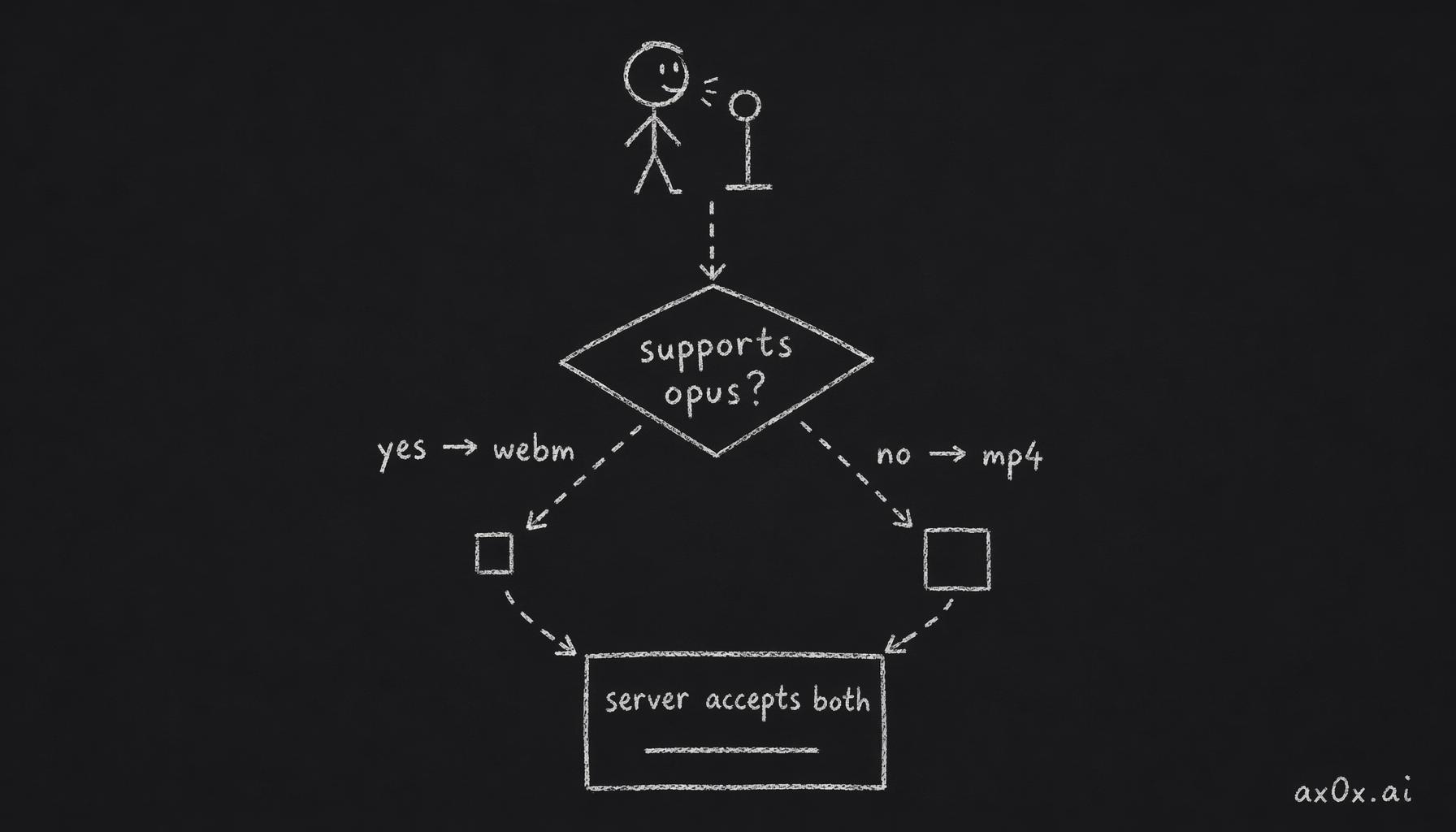 Codec negotiation: at recording start, ask the browser if it supports opus — yes takes the webm branch, no falls back to mp4, and both branches merge into one server pipeline
Other details that matter: a 5-minute maximum recording duration (without it, a user could accidentally leave the mic on and upload a giant file), a double-send guard using a sendingVoiceRef with try/finally (the record-and-send flow has enough async steps that tapping the button twice before the first send completes was a real bug), and proper mic permission error handling — the original code had an empty catch block that swallowed errors silently. Now it shows a toast: "Unable to record, please check microphone permissions."
The Silent Voice Bug
This one cost the most debugging time.
Voice messages were getting silently dropped. Record, send, nothing happens. No error, no feedback, just silence.
Two bugs conspired:
Bug 1: flushToServer early return. The function that sends messages to the server had an early return condition that checked for non-empty text. Voice-only messages — a mediaId but no text — tripped the guard and were quietly discarded.
Bug 2: Server schema validation. ChatSchema used .min(1) on the text field. A voice-only message with an empty text string failed validation server-side. The fix: switch to .refine() that accepts empty text as long as mediaIds is non-empty.
Two layers of silent failure. The client never sent it. And even if it had, the server would have rejected it. Both had to be fixed for voice messages to work at all.
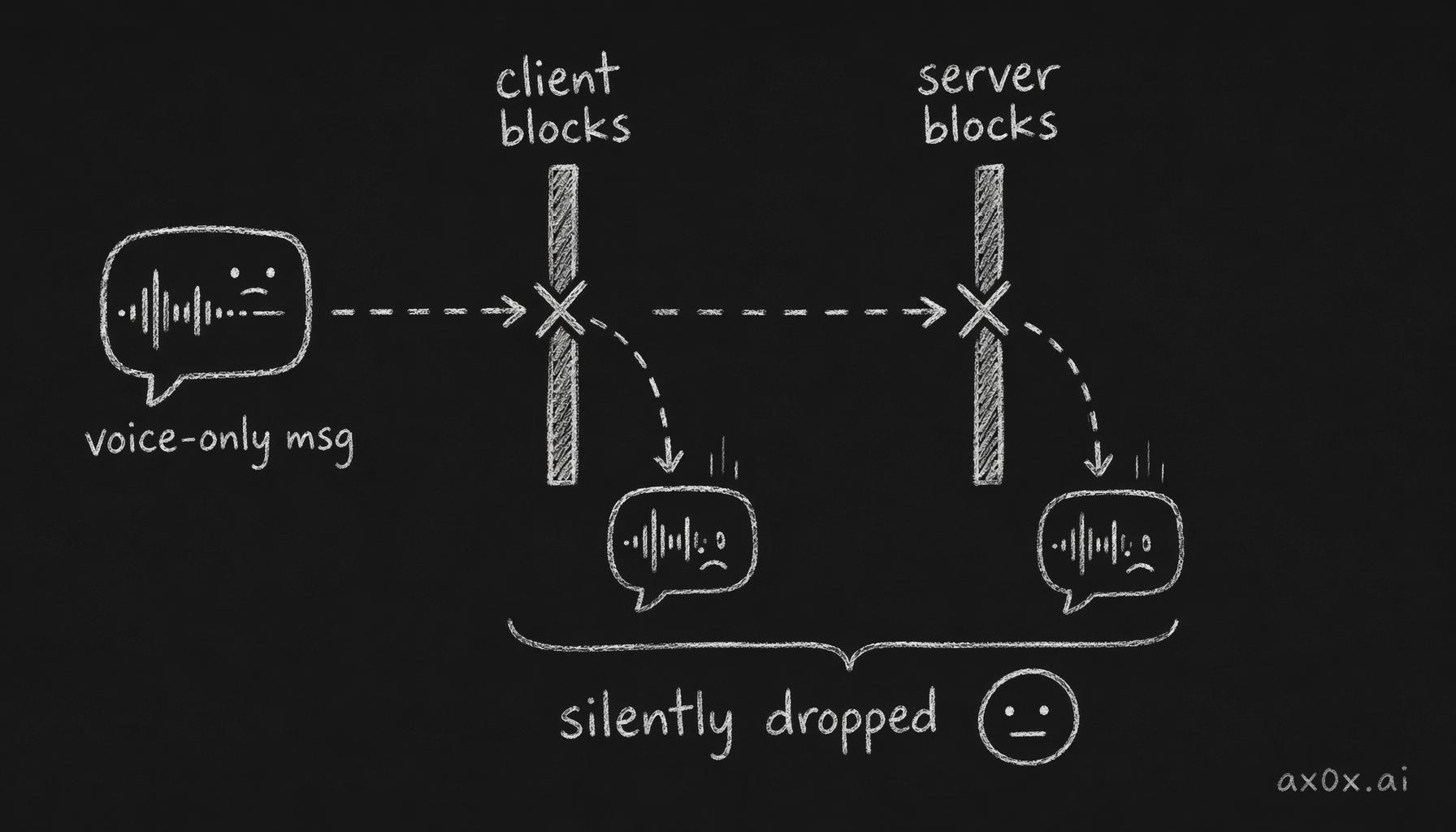 Two silent guards: a voice-only message is dropped by the client's non-empty-text check, and even if it passed it hits the server's .min(1) validation — both gates fail silently, so both must be fixed
There was a third issue in the same chain: the original code used setTimeout(500) to wait for state updates before reading mediaIds. A race condition wrapped in a prayer. The fix: return the MediaAttachment object directly from addVoiceRecording and use it immediately — no state dependency, no timing games.
Emoji Picker
A small feature with a surprising amount of detail.
@emoji-mart/react with lazy loading — the picker is a heavy component and shouldn't penalize initial page load. Chinese locale support so emoji categories display in Chinese. The picker integrates into the input bar alongside the voice button and file attachment button.
Not technically complex, but it rounds out the input experience. A messaging app without an emoji picker feels unfinished.
Admin Panel: From Env Vars to Database
Before v0.0.5, the user allowlist was an environment variable. Add a user? Edit the env var, redeploy. Remove a user? Same thing.
This was fine for testing with three users. It would not survive real operations.
v0.0.5 moves the allowlist to a telegram_allowlist database table with a users.role column (migration 0003). An in-memory cache backed by DB with startup preload keeps access checks fast. The env var still works as a fallback — if the DB is empty, the system falls back to ALLOWED_TELEGRAM_IDS.
The admin API: GET/POST/DELETE /api/admin/allowlist behind admin guard middleware. A web admin page at /admin with Chinese UI for managing users without touching code or environment variables.
Small scope, big operational impact. The difference between "developer tool" and "product."
Security: Two Audit Rounds
This is where v0.0.5 got serious.
After the initial implementation, I ran two full security audit iterations — parallel audit agents scanning every new file and every changed endpoint. 17 issues found and fixed.
The highlights:
Magic byte MIME validation. Don't trust the Content-Type header. Don't trust the file extension. Read the actual file bytes and validate against known magic byte signatures using the file-type library. Someone renames malware.exe to photo.jpg? Rejected.
Global memory cap. The pendingUploads map stores uploaded files in memory until they're sent with a message. Without a cap, a malicious user could upload files endlessly and OOM the server. Fix: 500MB global cap across all pending uploads, plus a per-user limit of 3 concurrent pending files.
Ownership checks. The web downloader closure captures userId and verifies ownership when the media is retrieved for processing. You can't reference someone else's uploaded media by guessing their mediaId.
URL scheme filtering. Message bubbles render uploaded media as inline images. Without filtering, a crafted message could inject arbitrary URLs. Fix: only allow blob: and https: schemes.
Filename sanitization. Uploaded filenames get sanitized before any processing. Path traversal via filenames (../../etc/passwd.jpg) is blocked.
Reflected error truncation. Error messages from failed uploads don't echo back the full request payload. Truncated to prevent information leakage.
None of these are individually groundbreaking. But 17 of them stacked together is the difference between "it works" and "it's safe to deploy."
The Heartbeat Fix
A small bug with outsized impact.
Mio's proactive messaging system — the "heartbeat" — queries for sessions that haven't had activity in a while and sends context-aware messages. The query filtered on lastMessageAt to find stale sessions.
The problem: new users who had just completed onboarding but hadn't sent their first message had lastMessageAt = NULL. The query's WHERE lastMessageAt < threshold silently excluded them — NULL < anything evaluates to NULL, not true.
Fix: OR lastMessageAt IS NULL.
One line. But without it, every new user's first experience was silence — they finished onboarding and Mio never reached out. The worst possible first impression.
The Numbers
38 files changed, 3,009 lines added. Two-phase media upload. Voice recording with codec negotiation. Emoji picker with lazy loading. Admin panel backed by database. 17 security issues found and fixed across 2 audit iterations. 12/12 tests passing.
Implementation: 18 minutes 30 seconds. Security audit: 8 minutes 42 seconds. Release: 1 minute 14 seconds. Two parallel implementation agents, two parallel audit agents.
Total: ~28 minutes from "start v0.0.5" to tagged release.
The web chat is no longer a second-class citizen. Everything Telegram can do, the browser can do too.
What's Next
Media support was the last major gap between Telegram and web. With v0.0.5, both channels are at feature parity for the core interaction loop — text, images, voice, emoji, streaming responses.
The foundation is solid. What comes next is building on top of it — features that are only possible because both channels now speak the same language.
But that's a future version's story.