
My Server Died at 8 AM (Twice)
Starting Point
8 AM. Routine SSH into my dev box. Can't connect.
My dev box is a GCP c3-standard-4 — 16GB RAM, Ubuntu 24.04. Runs a handful of long-lived services, including a headless browser. It was fine last night. I was on it two hours ago.
Opened Claude Code, one sentence: "My devbox won't connect. Take a look."
The Diagnosis
Claude Code's first move was checking the GCP instance status.
gcloud compute instances list --filter="name~claude-devbox"
Status: RUNNING. Public IP present. Not down.
Then it tested TCP connectivity:
nc -z -w 5 <VM_IP> 22
Port 22 was open. But SSH hung — stuck at "banner exchange," the second step of the SSH protocol handshake.
This was the key clue. TCP connection succeeding means the kernel networking stack is alive. But sshd not responding means userspace is frozen.
Claude Code pulled the serial console:
gcloud compute instances get-serial-port-output claude-devbox --zone=us-west1-b
Logs had stopped 20+ hours ago. The last entries showed rsyslogd's omfile action rapidly suspending and resuming — rsyslogd couldn't even write to its own log files.
By this point the diagnosis was clear: resource exhaustion, userspace completely frozen, only the kernel still maintaining TCP. Hard reset required.
gcloud compute instances reset claude-devbox --zone=us-west1-b
30 seconds later, SSH was back.
Root Cause Analysis
After the reboot, Claude Code started digging through the previous boot's logs.
The Culprit: Snap Chrome + PM2 = Infinite Crash Loop
The dev box ran a headless Chrome instance managed by PM2. Chrome was installed as an Ubuntu snap package.
Here's the problem: snap packages enforce cgroup-based confinement. They require the process to run inside a snap.chromium.chromium cgroup. But PM2 runs as a systemd service, so its child processes land in system.slice/pm2-user.service. Cgroup mismatch. snap-confine rejects the launch.
Chrome exits. PM2 sees the exit, restarts immediately. Rejected again. Exit. Restart. Exit. Restart.
Hundreds of times per second.
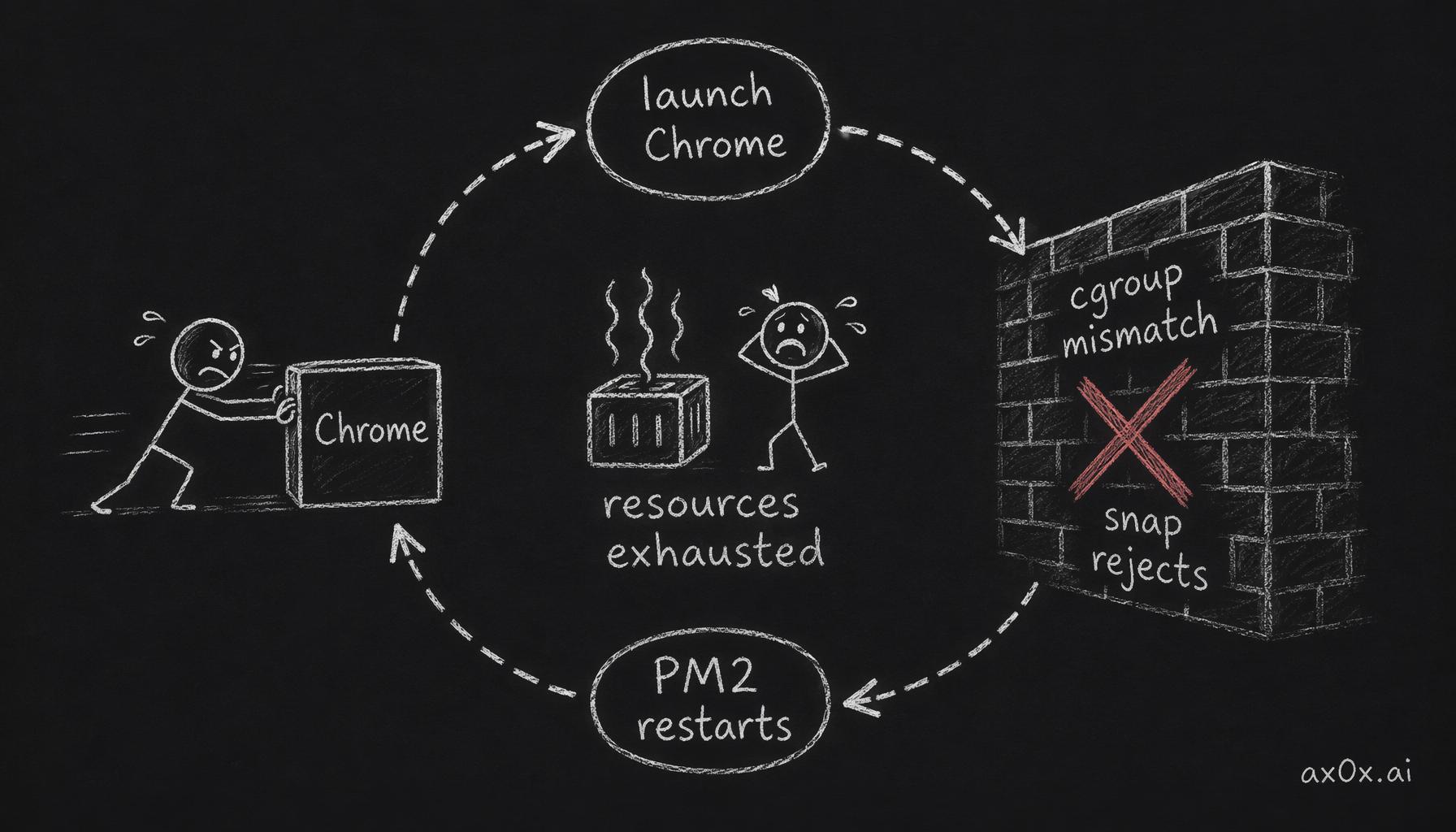 The snap Chrome + PM2 infinite crash loop: cgroup mismatch gets rejected, PM2 restarts instantly, rejected again, hundreds of times a second until resources are exhausted
No max_restarts configured. No restart_delay.
The previous uptime was 33 hours. The error logs contained 3,055 snap cgroup rejections. Only 12 launches succeeded — thanks to a race condition in snap-confine's cgroup detection.
Each failed launch forked a process, allocated memory, wrote error logs, then exited. Thousands of iterations later: PIDs exhausted, memory exhausted, disk I/O saturated.
Contributing Factor: 6,066 SSH Brute Force Attempts
The dev box had a public IP with SSH exposed to the internet. No fail2ban.
Claude Code counted the failed SSH login attempts during the previous boot:
sudo journalctl -b -1 --no-pager | grep -c 'preauth'
6,066 attempts. Over 33 hours, that's roughly three per minute. Each attempt spawns an sshd child process. Not fatal on its own, but when the system is already under resource pressure from Chrome's crash loop, these extra process forks accelerate the avalanche.
Contributing Factor: No Swap
16GB of RAM with zero swap.
This means the system goes from "fine" to "dead" with no buffer in between. When memory fills up, the OOM killer either kills a critical process (like sshd, making you unable to connect) or deadlocks. Either way, you're locked out.
Even 2GB of swap gives the kernel time for memory reclaim operations instead of an instant deadlock.
The Early Warning: rsyslogd
Both freezes were preceded by the same pattern in the logs:
rsyslogd: action 'action-8-builtin:omfile' suspended
rsyslogd: action 'action-8-builtin:omfile' resumed
rsyslogd: action 'action-8-builtin:omfile' suspended
rsyslogd: action 'action-8-builtin:omfile' resumed
When rsyslogd can't write to its own log files, the system is moments from freezing entirely. If you see this pattern in your monitoring, intervene immediately.
The Fixes
Claude Code applied five fixes in one session.
1. Replace Snap Chrome
The root fix: remove snap Chromium, install Google Chrome's .deb package.
wget -q -O - https://dl.google.com/linux/linux_signing_key.pub \
  | sudo gpg --dearmor -o /usr/share/keyrings/google-chrome.gpg
echo 'deb [arch=amd64 signed-by=/usr/share/keyrings/google-chrome.gpg] \
  https://dl.google.com/linux/chrome/deb/ stable main' \
  | sudo tee /etc/apt/sources.list.d/google-chrome.list
sudo apt-get update -qq && sudo apt-get install -y google-chrome-stable
Updated the PM2 config to use /usr/bin/google-chrome-stable. Zero snap cgroup errors, zero restarts.
Lesson: On Ubuntu, never use snap-installed browsers with PM2 or systemd. Snap's cgroup confinement is incompatible with external process managers. Use .deb packages.
2. PM2 Restart Limits
Even after swapping Chrome, every PM2 process needs a safety net:
// ecosystem.config.cjs
{
  name: 'my-service',
  script: '/path/to/script.js',
  max_restarts: 10,      // stop after 10 crashes
  min_uptime: '10s',     // must run 10s to count as "started"
  restart_delay: 5000,   // wait 5s between restarts
}
A PM2 process without max_restarts and restart_delay is a time bomb — any crash becomes an infinite fork loop.
3. Install fail2ban
sudo apt-get install -y fail2ban

sudo tee /etc/fail2ban/jail.local << 'EOF'
[sshd]
enabled = true
port = ssh
filter = sshd
logpath = /var/log/auth.log
maxretry = 3
bantime = 3600
findtime = 600
EOF

sudo systemctl enable --now fail2ban
Within ten minutes of enabling, fail2ban had already banned its first IP. Every public IP with SSH open is being probed constantly.
4. Add Swap
sudo fallocate -l 4G /swapfile
sudo chmod 600 /swapfile
sudo mkswap /swapfile
sudo swapon /swapfile
echo '/swapfile none swap sw 0 0' | sudo tee -a /etc/fstab
4GB swap, roughly 25% of RAM. Not meant to be used as main memory — it's a buffer window for the OOM killer to do reclaim before the whole system deadlocks.
5. SSH Hardening
sudo tee /etc/ssh/sshd_config.d/99-hardening.conf << 'EOF'
PermitRootLogin no
MaxStartups 5:50:10
MaxSessions 5
LoginGraceTime 30
EOF

sudo sshd -t && sudo systemctl reload ssh
MaxStartups 5:50:10 is the most impactful setting here: allow 5 unauthenticated connections freely, then randomly drop 50% of new ones, hard-cap at 10. This throttles brute force traffic at the TCP level — before any cryptographic or authentication work happens.
How Claude Code Did It
Looking back, Claude Code's approach was methodical:
Layered investigation. It didn't guess. It checked GCP status (infra layer) → port connectivity (network layer) → SSH handshake (application layer) → serial console (system layer). Each result determined the next step.
Read logs, count numbers. It didn't go on intuition about "probably Chrome." It counted 3,055 snap cgroup rejections, 6,066 SSH brute force attempts, 12 successful Chrome launches. Numbers are more reliable than hunches.
Parallel fixes. After diagnosis, it kicked off four fix streams simultaneously (swap, fail2ban, SSH hardening, PM2 config) without waiting for each to finish sequentially. Then ran a unified verification pass.
Traced to root cause. After applying PM2 restart limits, it didn't stop — it kept asking "why is Chrome crashing?" Found the snap cgroup incompatibility, then replaced the binary entirely. Not a patch. A root cause fix.
From "I can't connect" to "five hardening measures applied and verified" took about twenty minutes. This kind of systems ops triage is where Claude Code shines — it can run commands in parallel, doesn't need to look things up, and doesn't mind being woken up at 8 AM.
A Few Hours Later, It Died Again
Five fixes applied. I thought it was stable. Went back to coding.
A few hours later, can't connect again.
This time I wasn't even surprised. Opened Claude Code: "It's dead again. Investigate."
Round One Only Fixed the Surface
After resetting the VM, Claude Code's first move was mapping the memory footprint:
| Service | RSS |
|---|---|
| Chrome (6 processes) | 861 MB |
| PM2 + Node (9 services) | 529 MB |
| openclaw-gateway (Docker) | ~500 MB |
| Claude Code (opus) | 412 MB |
| LiteLLM (Docker) | 258 MB |
| Docker daemon | 194 MB |
| Xvfb | 80 MB |
| Total | ~2.8 GB |
2.8GB at boot. Then Cursor SSH remote adds ~1GB. Two Claude Code sessions add another 1GB. Docker containers had zero memory limits — they could grow to eat all 16GB.
Round one fixed the crash loop but didn't fix unbounded memory. Snap Chrome was no longer fork-bombing, but the system's total memory was still unmanaged.
And — snap Chromium was still installed. Round one only changed the PM2 path to Google Chrome. The snap package itself was never removed. AppArmor logs still showed snap chromium DENIED entries.
The Real Fix: Give Every Process a Ceiling
Claude Code applied seven more measures:
1. Docker memory limits. openclaw-gateway capped at 1.5GB, litellm at 512MB. Written to docker-compose.override.yml, persistent across restarts.
services:
  openclaw-gateway:
    deploy:
      resources:
        limits:
          memory: 1536M
2. Purge snap Chromium. sudo snap remove chromium --purge. Gone for good.
3. sysctl tuning. vm.swappiness=10 (prefer reclaiming cache over swapping), vm.overcommit_memory=0 (strict mode — don't let processes allocate more than available). Written to /etc/sysctl.d/, survives reboot.
4. OOM killer priorities. Set sshd to oom_score_adj=-1000 (never kill — ensures you can always SSH in). Set Chrome to +500 (sacrifice first). Applied via a systemd service at boot.
5. Memory watchdog. A cron script running every minute. At 85% memory usage, it kills Chrome (the sacrificial lamb) and logs the event. At 95%, it starts killing the heaviest PM2 processes.
6. GCP Ops Agent. Installed Google's monitoring agent — memory, CPU, and disk metrics reported to Cloud Monitoring in real time. Created an alert policy: notify when memory exceeds 85% for 2 minutes.
7. PM2 memory limits. Added max_memory_restart to every PM2 process — Chrome at 400MB, other services at 150-200MB. If a process exceeds its limit, PM2 restarts just that process instead of letting it eat the whole machine.
Then We Realized the Machine Type Was Wrong
When discussing whether to add more RAM, Claude Code checked the machine type: c3-standard-4.
c3 is compute-optimized — Intel Sapphire Rapids at 2.7GHz, designed for HPC and game servers. What was I running on it? Claude Code waiting for API responses. Cursor IDE idle 99% of the time. Docker containers forwarding LLM requests.
I was paying a premium for CPU performance I'd never use.
Claude Code ran the comparison:
| Machine Type | vCPU | RAM | Monthly | vs Current |
|---|---|---|---|---|
| c3-standard-4 (current) | 4 | 16GB | ~$152 | — |
| e2-highmem-4 (recommended) | 4 | 32GB | ~$131 | Save $21, 2x RAM |
| e2-standard-4 | 4 | 16GB | ~$97 | Save 36%, same RAM |
e2-highmem-4: double the RAM, lower the bill. Because e2 is general-purpose with shared-core scheduling, optimized for bursty workloads. My workload — waiting for APIs, waiting for keystrokes, occasional npm run build — doesn't need dedicated Sapphire Rapids cores.
I often run 6 concurrent Claude Code sessions. Each starts at ~400MB and grows to 1-2GB with long conversations. Six sessions = 2.4-12GB. On a 16GB machine, that simply doesn't fit.
The switch took three commands and 30 seconds of downtime:
gcloud compute instances stop claude-devbox --zone=us-west1-b
gcloud compute instances set-machine-type claude-devbox \
  --zone=us-west1-b --machine-type=e2-highmem-4
gcloud compute instances start claude-devbox --zone=us-west1-b
After the switch: 32GB RAM, 28GB free. The 6 Claude sessions that used to choke 16GB now don't even use half.
Complete Hardening Checklist
After two rounds, 12 total measures:
Round 1: Stop the Bleeding
- Replace snap Chrome —
.debpackage instead of snap, eliminates cgroup incompatibility - PM2 restart limits —
max_restarts+restart_delay, prevents fork bombs - fail2ban — SSH brute force protection
- 4GB swap — buffer window for OOM killer
- SSH hardening —
MaxStartups 5:50:10, TCP-level throttling
Round 2: Fix the Root Cause
- Docker memory limits — every container has a ceiling, can't eat the host
- Purge snap Chromium — remove the package entirely
- sysctl tuning —
swappiness=10,overcommit_memory=0 - OOM killer priorities — sshd never killed, Chrome sacrificed first
- Memory watchdog — cron checks every minute, auto-kills at 85%
- GCP Ops Agent + alert — real-time monitoring + 85% threshold notification
- Machine type swap — c3-standard-4 → e2-highmem-4, double RAM, lower cost
Takeaway
This incident played out in two acts, and the lessons are layered too.
Act one taught defense in depth — one bad process shouldn't be able to take down an entire machine. The snap Chrome crash loop was the direct cause, but if PM2 had restart limits, it couldn't have looped. If there was swap, memory exhaustion wouldn't have caused a deadlock.
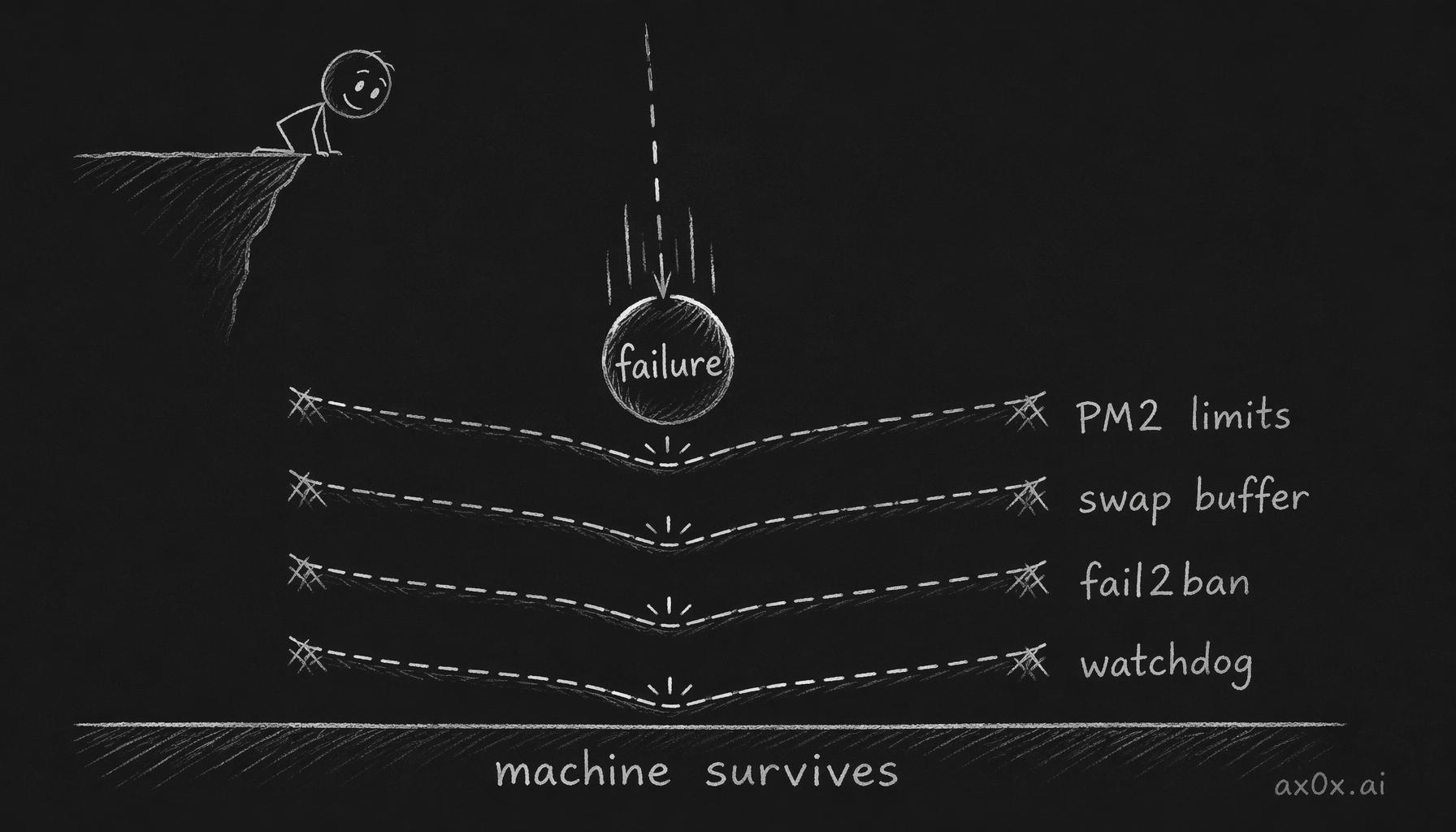 Defense in depth: a failure falls like a ball, and if one layer of defense leaks the next one catches it — stacked layers survive any single point of failure
Act two taught fixing the surface isn't fixing the root cause. Round one eliminated the crash loop but didn't address the fact that every process could eat unlimited memory. Docker had no memory limits, PM2 had no max_memory_restart, there was no monitoring, no alerts, and the machine type was wrong. We treated the symptom, not the constitution.
Together, the real lesson is: don't assume you're safe after the first fix. Ask yourself — "if this fix works, what other way can the system still die?" If the answer isn't "none," keep going.
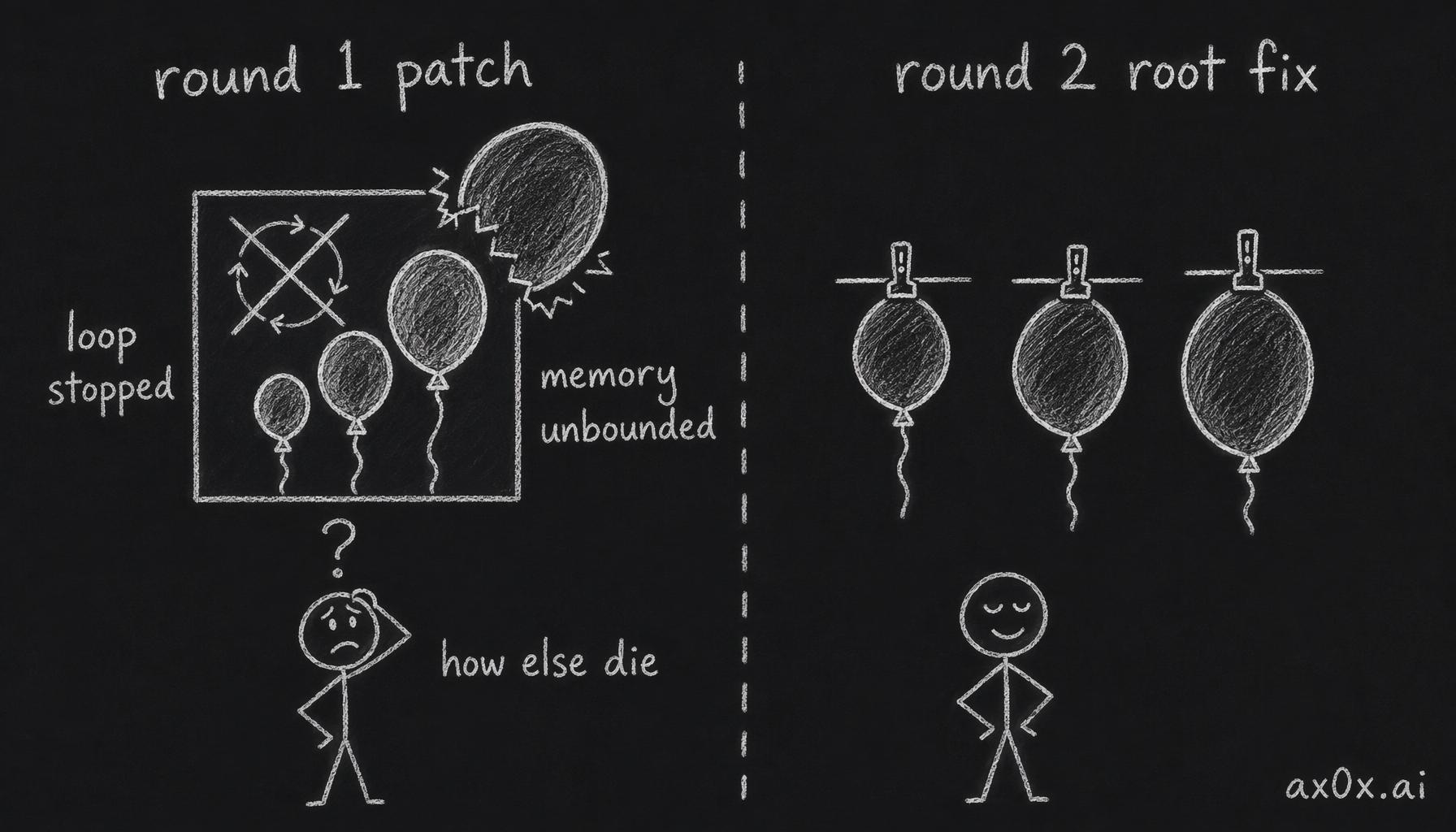 Fixing the surface isn't fixing the root: round one stopped the crash loop but every process could still eat unlimited memory — keep asking 'how else can it die' until there's no answer left
A dev box isn't production, but every machine on a public IP is being continuously scanned. The question isn't "will something go wrong" — it's "how many layers of defense do you have when it does."